
How do I take donations?
Go to Settings, then Payments, and turn on Donations. Pick three suggested amounts and who pays the card fee. Every dollar goes to your Stripe account, and Pinli takes nothing.
On this page
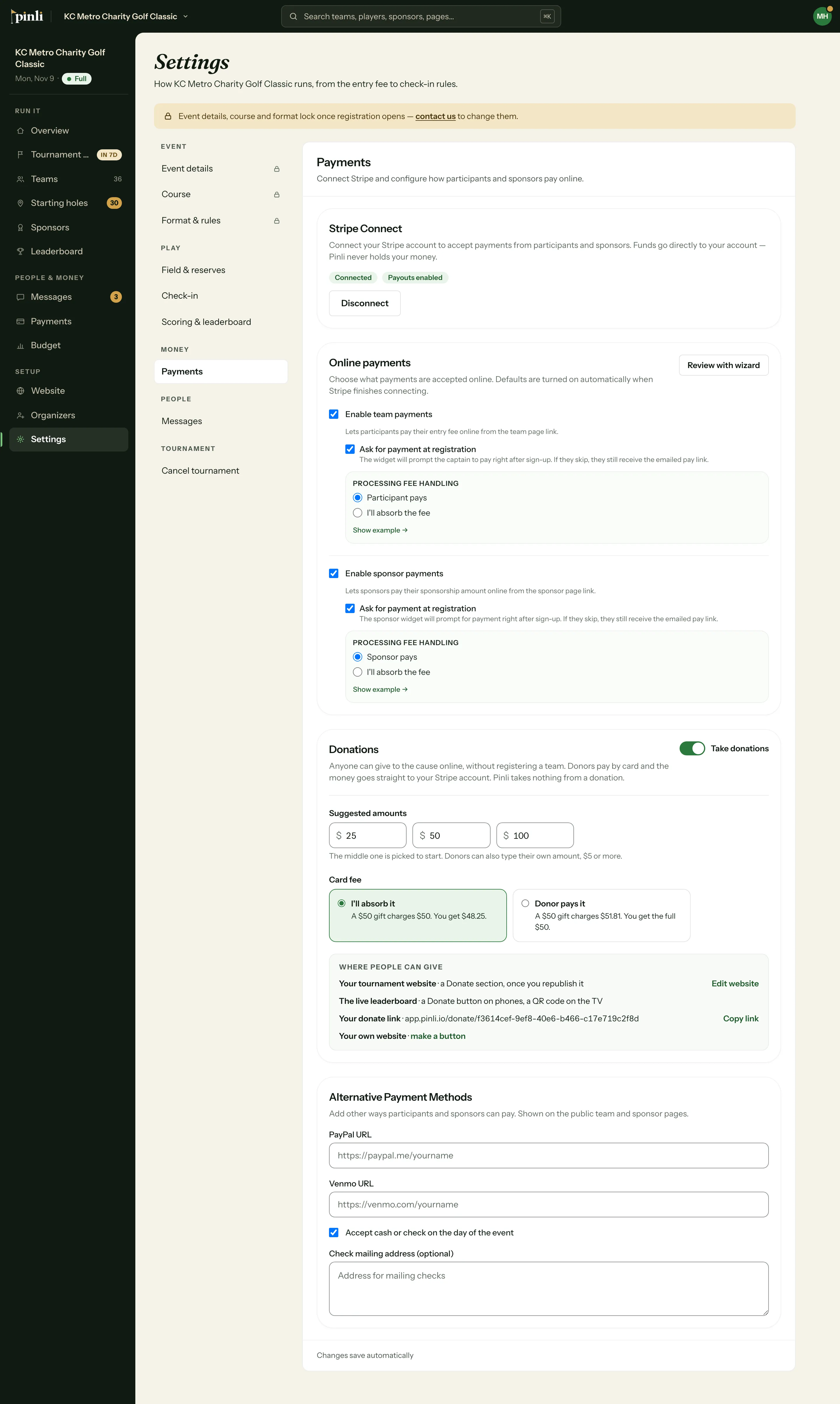
Anyone can give to your cause online, without registering a team. Gifts go straight to your own Stripe account, and Pinli takes nothing from a donation.
Before you start: your tournament needs to be activated, with Stripe connected. See how to connect Stripe.
Turn on donations
- Go to Settings, then Payments.
- Under Donations, turn on Take donations.
- Set your three suggested amounts. The middle one is picked to start. Donors can also type their own amount, $5 or more.
- Choose who pays the card fee.
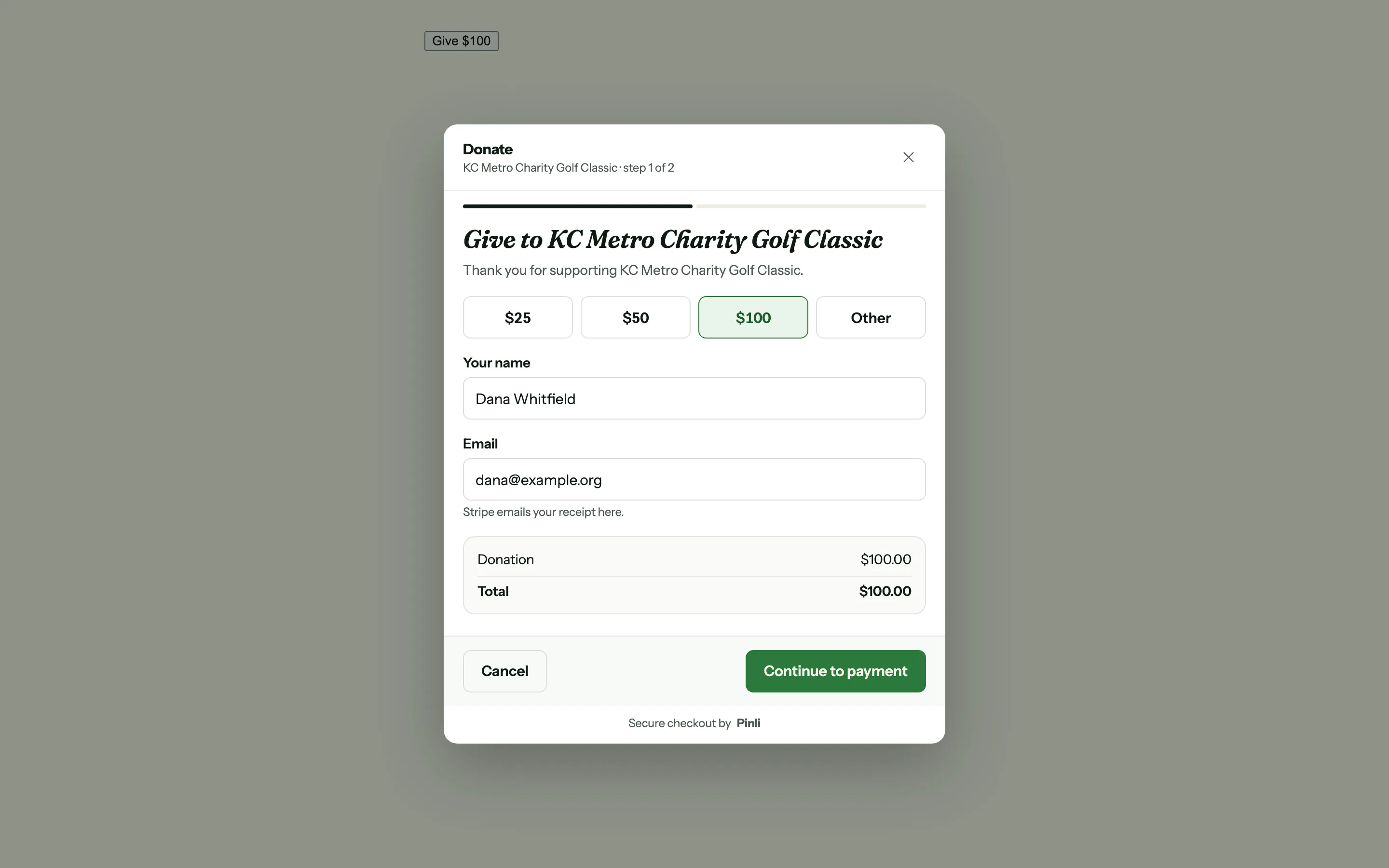
Here’s what a donor sees:
Who pays the card fee?
Stripe charges 2.9% + 30¢ on each card payment. You choose how to handle it:
- I’ll absorb it is the default. A $50 gift charges the donor $50, and you get $48.25.
- Donor pays it. A $50 gift charges the donor $51.81, and you get the full $50.
This setting is only for donations. Teams and sponsors have their own.
Where can people give?
- Your Pinli website. A Donate section appears once you publish or republish it.
- The live leaderboard. A Donate button on phones, and a QR code on the TV.
- Your donate link. Copy it from the Donations card. It works even if you don’t have a website.
- Your own website. Make a button and paste it anywhere.
Where do I see them?
Donations show up on the Payments page, with their own total and a Donations filter. Click a donor’s name to see what they paid, the card fee, what you received, and where they gave from. The arrows at the top step through the rest.
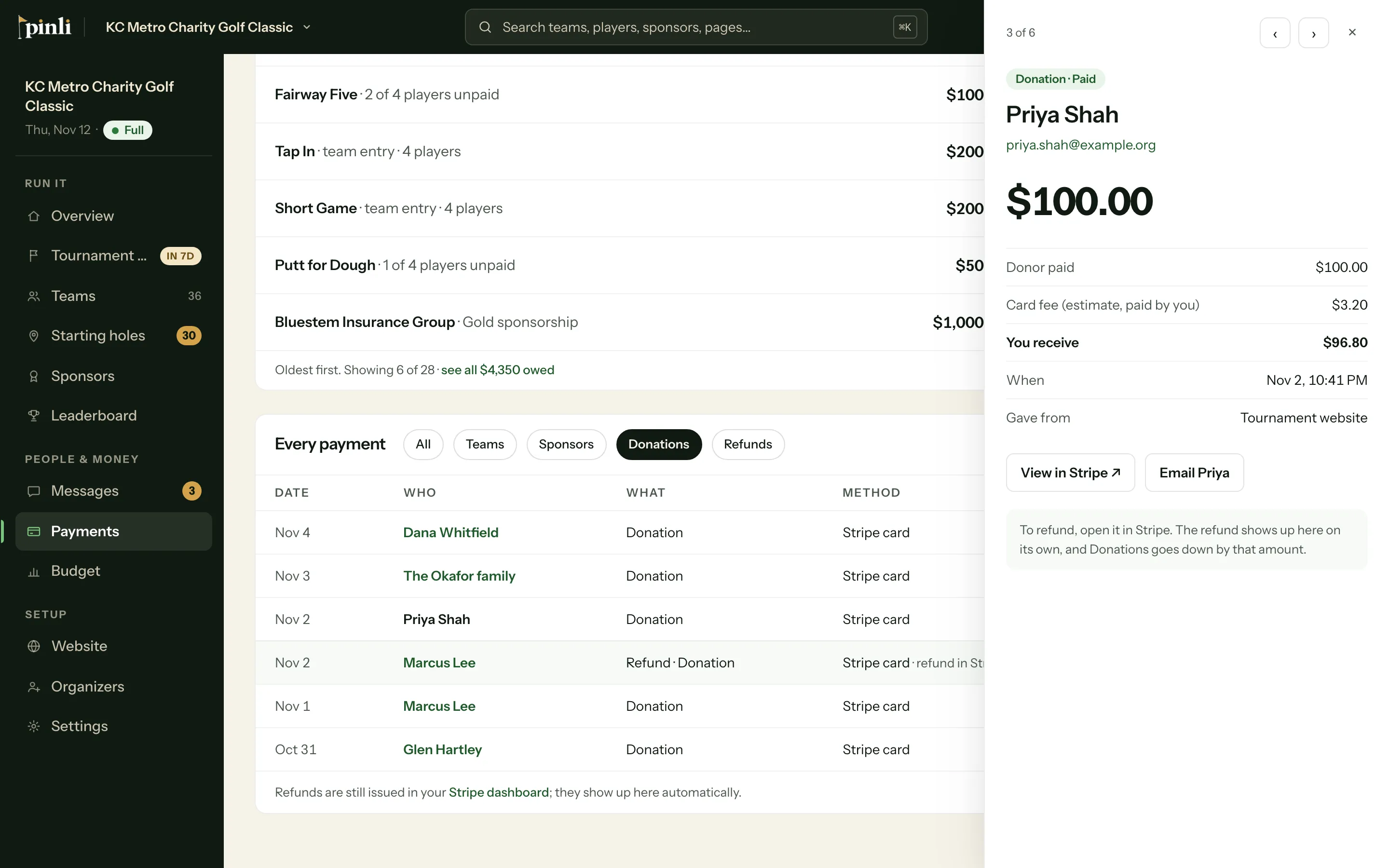
To find one donor, search their name or email from any page.
Stripe emails each donor a receipt.
Common questions
Are donations tax-deductible? Pinli can’t say. That depends on your organization. Stripe’s receipt is a payment receipt, not a tax letter, so if your donors need one, send it yourself.
How do I refund a donation? Open it in Stripe and refund it there. The refund shows up in Pinli on its own. See how refunds work.
Can I record a cash or check donation? Not yet. Pinli only tracks donations made by card for now.
What happens if I cancel my tournament? Donations stop, and your Donate buttons say so. Gifts already made stay in your Stripe account until you refund them.