
How do refunds work?
Refund card payments from your Stripe dashboard. Pinli picks up the refund on its own and marks the players or sponsor unpaid. For cash or check, just mark them unpaid.
On this page
Card payments go into your own Stripe account, so refunds happen there too. There’s no refund button in Pinli. Once you refund in Stripe, Pinli updates itself.
Refund a card payment
- Sign in to your Stripe dashboard and find the payment. For a sponsor, the History section in Pinli shows who paid and the Stripe ID.
- Issue the refund in Stripe.
- Stripe tells Pinli about the refund, and Pinli records it on its own. The players that payment covered, or the sponsor, are marked unpaid.
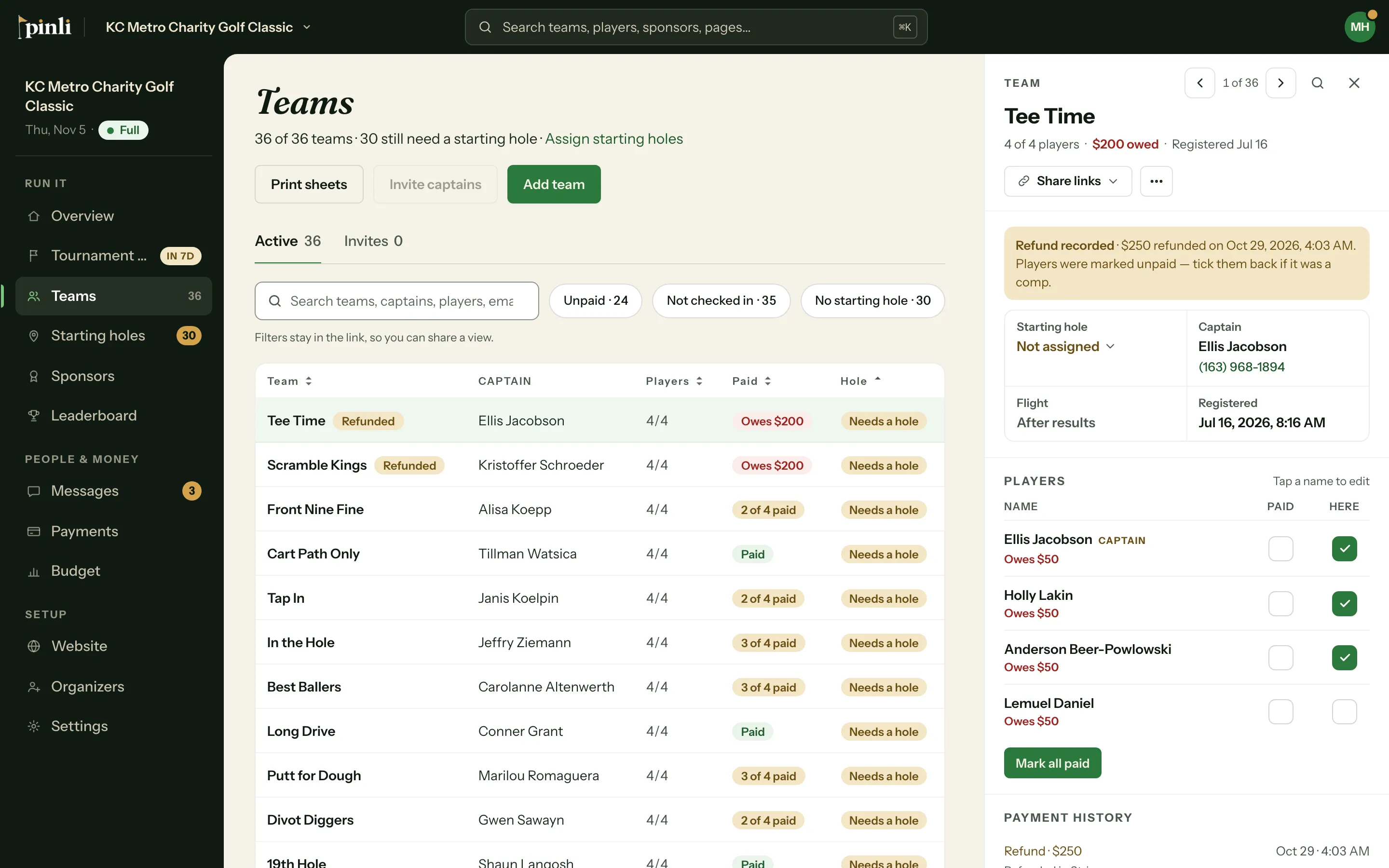
You’ll get a notification, and you’ll see:
- A Refunded tag next to the team or sponsor in your lists.
- A Refund recorded note with the amount and date when you open them.
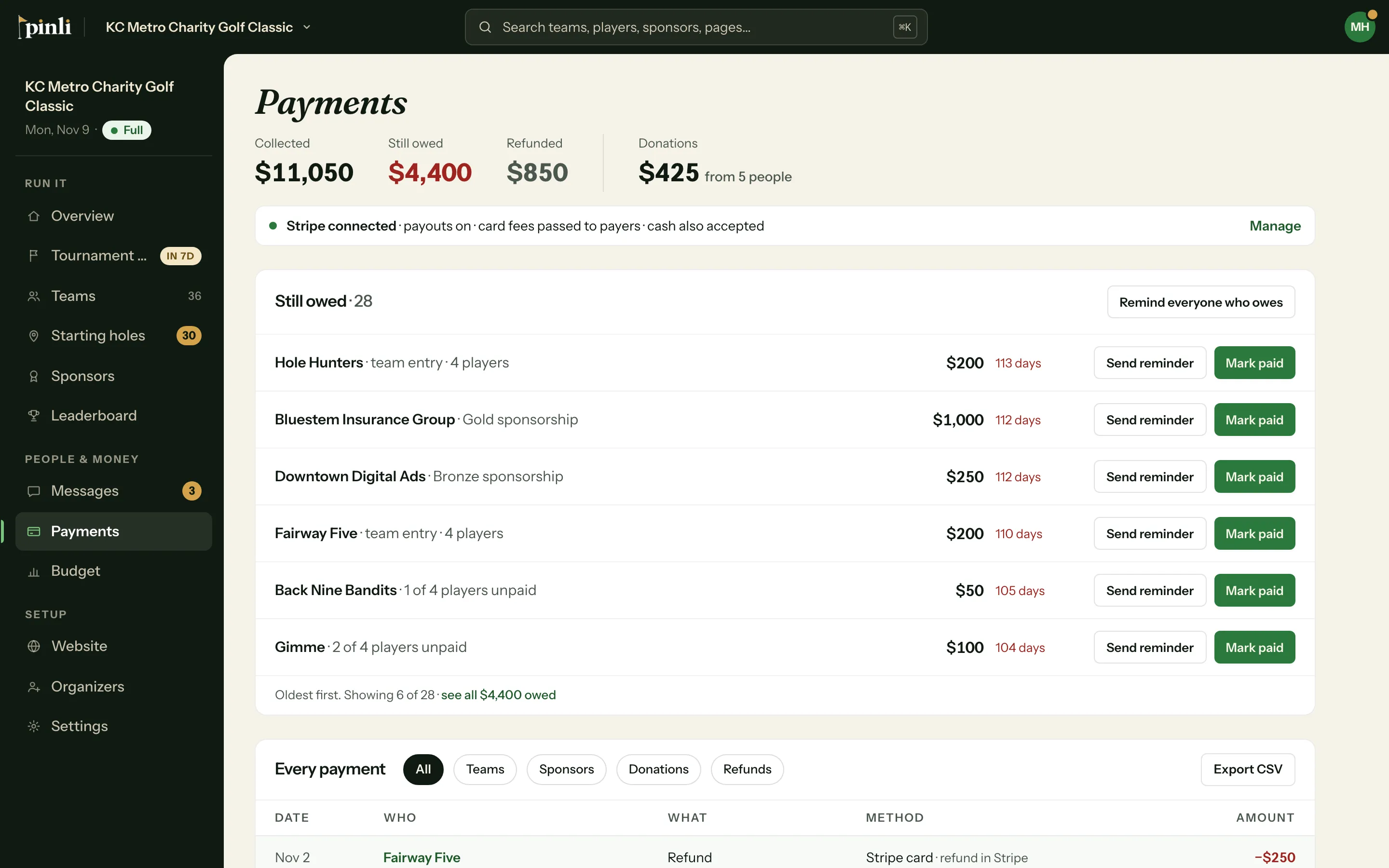
- The refund in Every payment on the Payments page, and in the Refunded total at the top. Use the Refunds filter to see only refunds.
Refund a cash or check payment
You hand the money back yourself. Then undo the mark in Pinli:
- Team: open the team and turn Paid off for each player you refunded.
- Sponsor: open the sponsor, click ⋯, then Mark unpaid.
What if I remove a team or sponsor who paid?
If you remove a team or sponsor who paid, Pinli asks you to confirm that you’ll handle the refund. Removing them doesn’t refund anyone. Do that in Stripe, or by hand for cash.
What if I cancel the tournament?
Canceling doesn’t refund anyone. You refund people the same way, in Stripe or by hand, and the Payments page still shows who paid. See how to cancel a tournament.
How do I refund a donation?
The same way: refund it in Stripe. Pinli records it on its own, and your Donations total on the Payments page goes down by that amount.
Common questions
Why can’t I turn off Paid for a player who paid online? That money moved through Stripe, so undoing it is a refund. Refund it in Stripe and Pinli marks them unpaid.
Why did a partial refund mark the whole payment unpaid? Any refund on a payment marks everyone it covered unpaid, and the note shows how much was refunded. If they should still count as paid, turn Paid back on for those players, or click Mark paid on the sponsor.
If I refund a sponsor, are their included teams removed? No. Teams that came with the sponsorship stay in your field. Remove them yourself if they’re no longer playing.