
How do I find a team, player or sponsor fast?
Click the search box at the top of any page, or press ⌘K (Ctrl+K on Windows). Type a name, email or phone number to find teams, players, sponsors and donors, with whether each one has paid.
On this page
Search finds anyone in your tournament from any page, and tells you where they stand before you click.
Open search
Click the search box at the top of any page, or press ⌘K (Ctrl+K on Windows). On a phone, search opens full screen. Use the arrow keys and Enter to open a result without the mouse.
Before you type
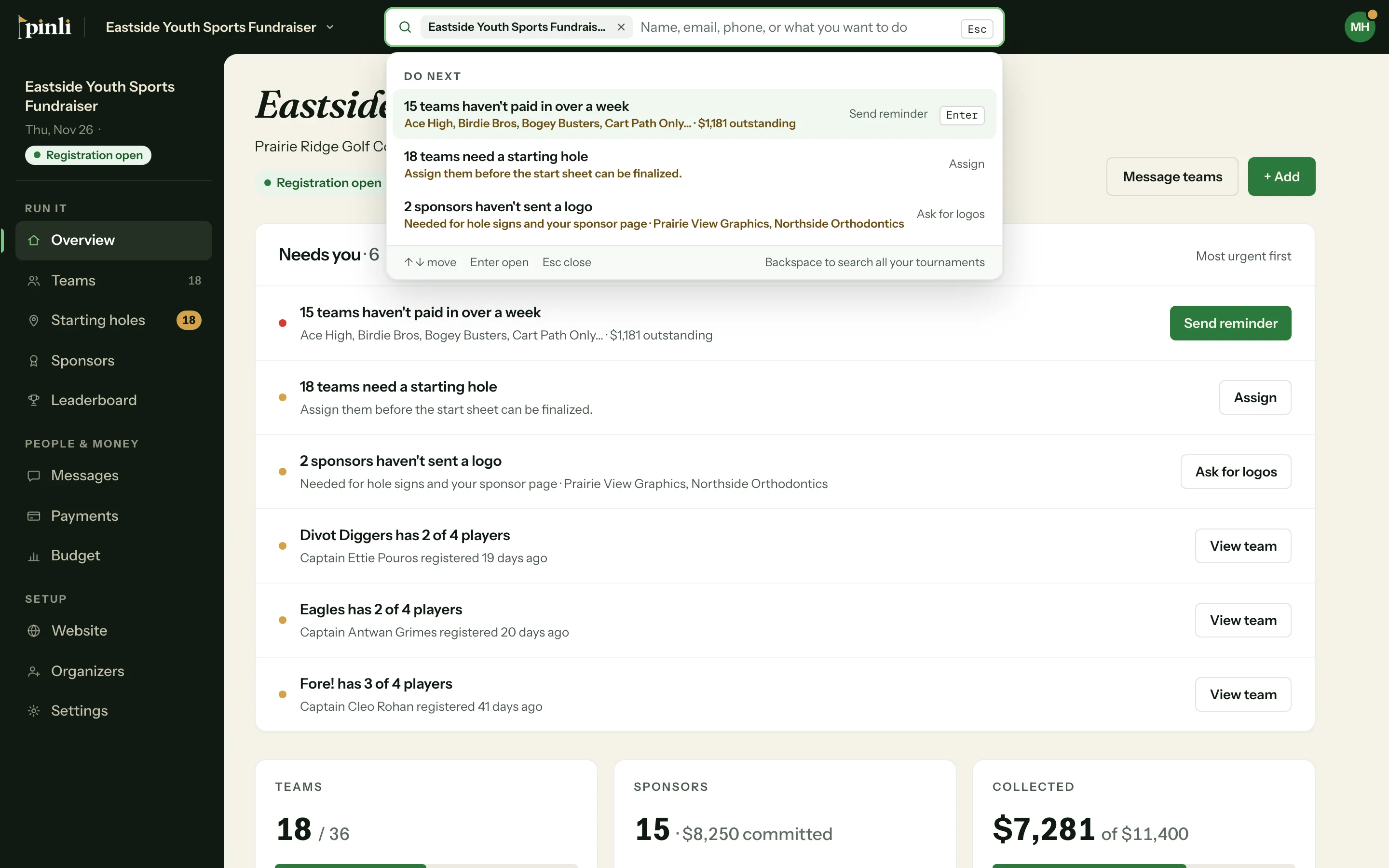
On a tournament that’s taking sign-ups, search opens with Do next: the top three things that need you, like teams that haven’t paid. Below that, Recent lists what you opened lately, so you can jump back to it.
What you can search
- Teams by name.
- Players by name, email or phone number.
- Sponsors by business name, contact name, email or phone number.
- Donors by name or email.
- Pages, settings and actions on the tournament you’re in. Try “print sheets” or “starting holes”.
Names and emails don’t have to be exact, so a close spelling still finds them. For a phone number, type at least 4 digits. Dashes, spaces and a leading 1 don’t matter.
Each result shows where it stands: Owes or Paid for teams, players and sponsors, Reserve for teams on the reserve list, and the amount for a donor. When results come in more than one kind, chips at the top let you show just one kind.
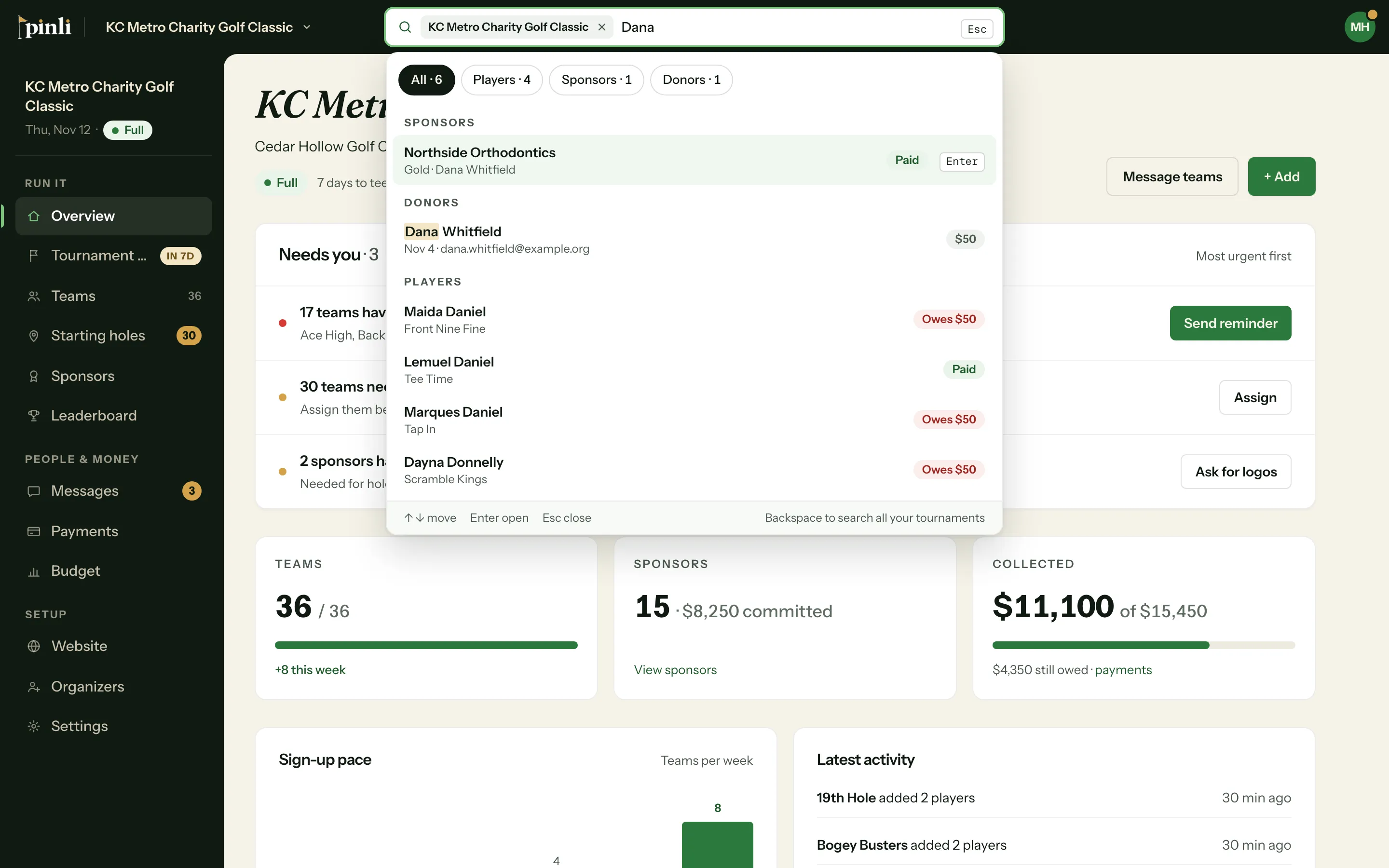
Click a player and their team opens with their row marked. Click a donor and their gift opens on the Payments page.
This tournament or all of them
On a tournament, search looks in that tournament only. Its name shows as a tag in the search box. To search all your tournaments, click the × on the tag, or press Backspace in an empty box. Search goes back to the tournament you’re in the next time you open it.
Outside a tournament, search looks across all of them and finds tournaments by name too.
Common questions
Why doesn’t Recent show who’s paid? Recent comes from your own browser and can be days old, so a paid status there could be out of date. Search for the name to see where they stand now.
Why didn’t a phone number find anyone? Type at least 4 digits, and nothing but the number. Players and sponsors are only found by phone if one is on file.
Can teammates or sponsors use search? No. Search is for organizers, and only finds tournaments you manage.