
How do I record a cash or check payment?
Open the team or sponsor and mark them paid. Pinli records who marked it and when, and the payment shows on the Payments page with everything else.
On this page
When someone pays you outside Stripe, by cash, check, Venmo or PayPal, mark them paid in Pinli. Your totals, the team page and the sponsor page all update.
Mark a team paid
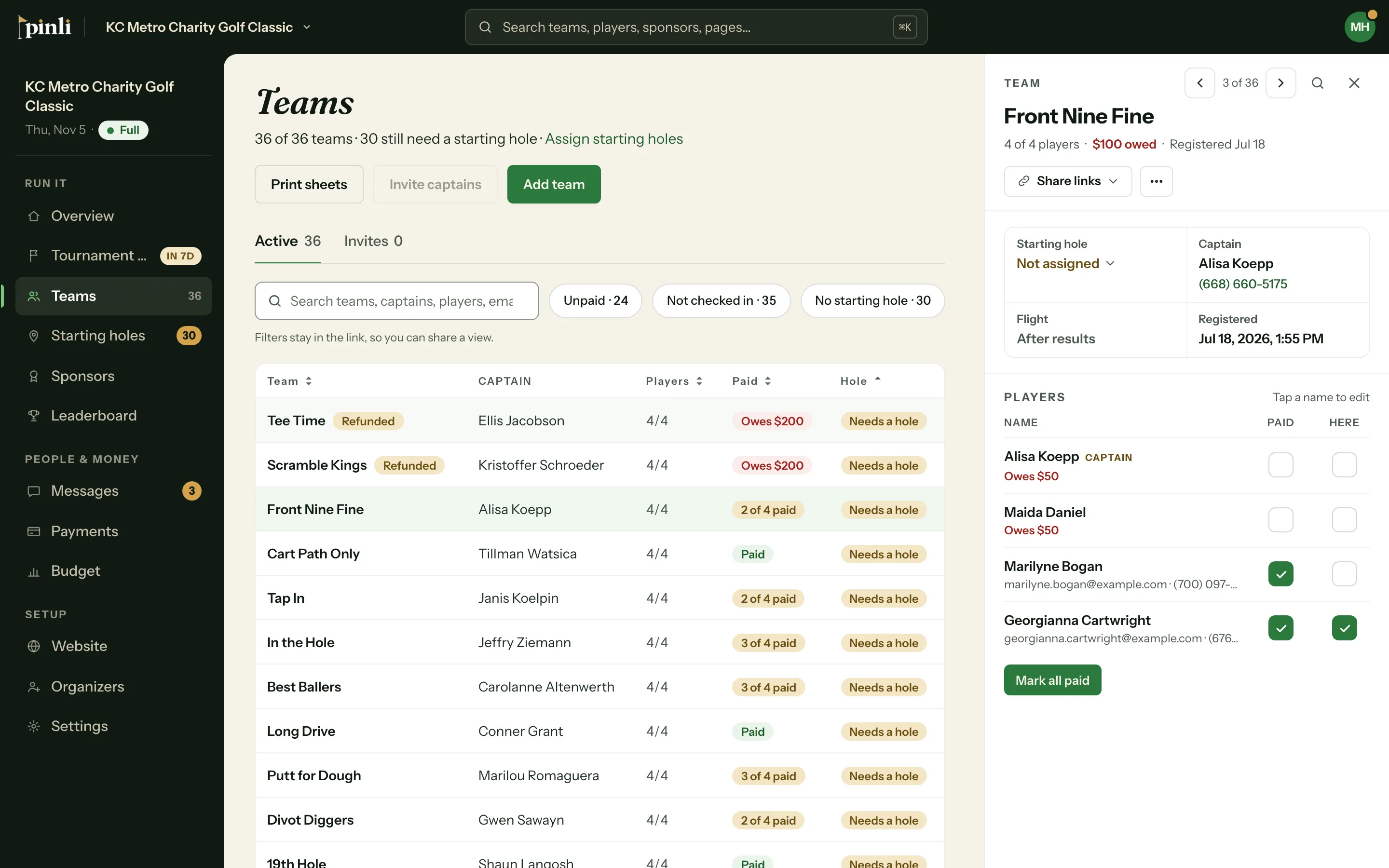
- Go to Teams and click the team. Its details open on the side.
- Under Players, turn on Paid for each player who paid.
- If the whole team paid, click Mark all paid and confirm.
Entry fees are tracked per player, so a team can be partly paid. Mark all paid covers the players on the team now. Open spots on the roster aren’t marked.
Mark a sponsor paid
- Go to Sponsors and click the sponsor.
- Click Mark paid.
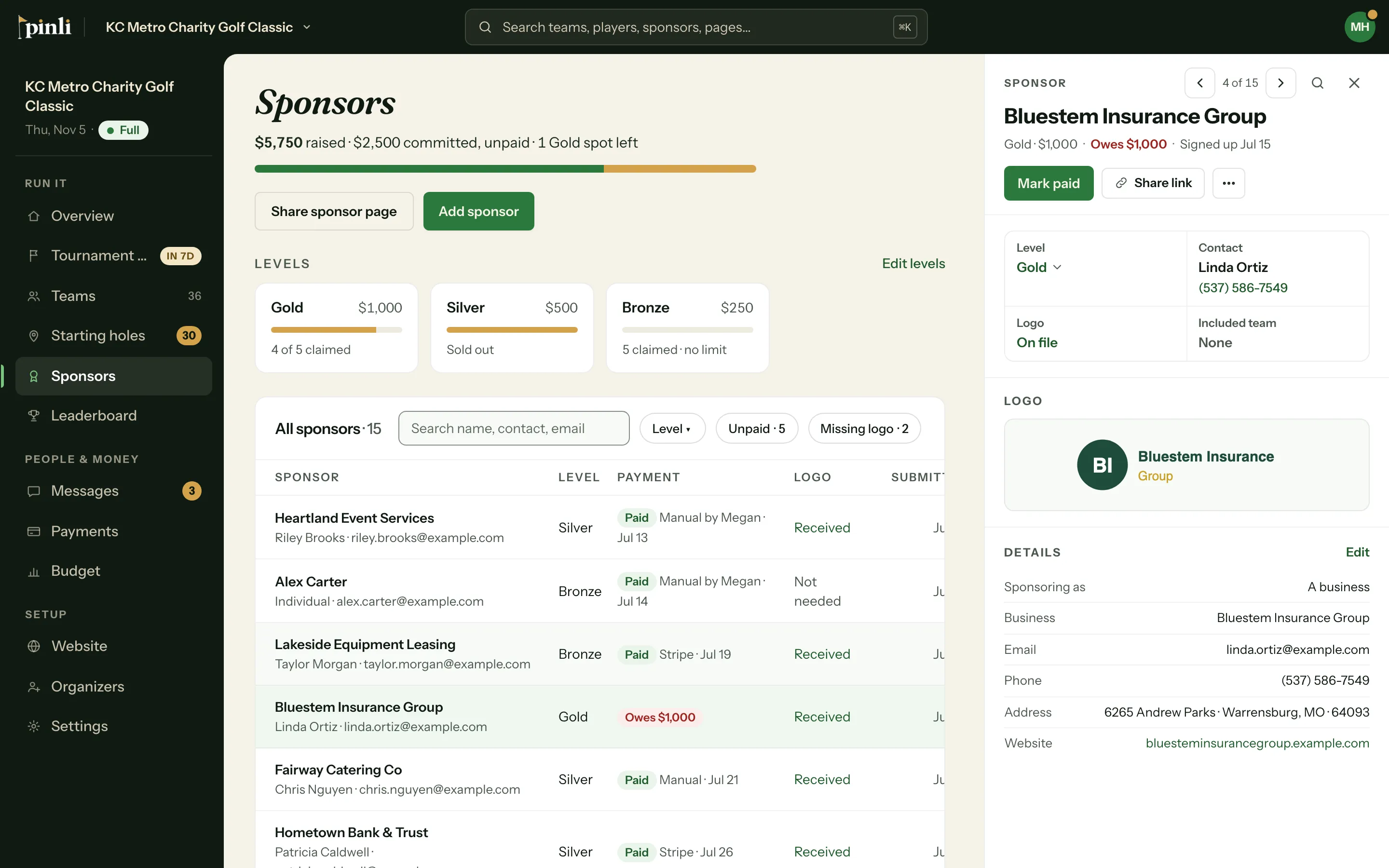
If their level includes a team, marking them paid creates it. See How do sponsorships that include a team work?
From the Payments page
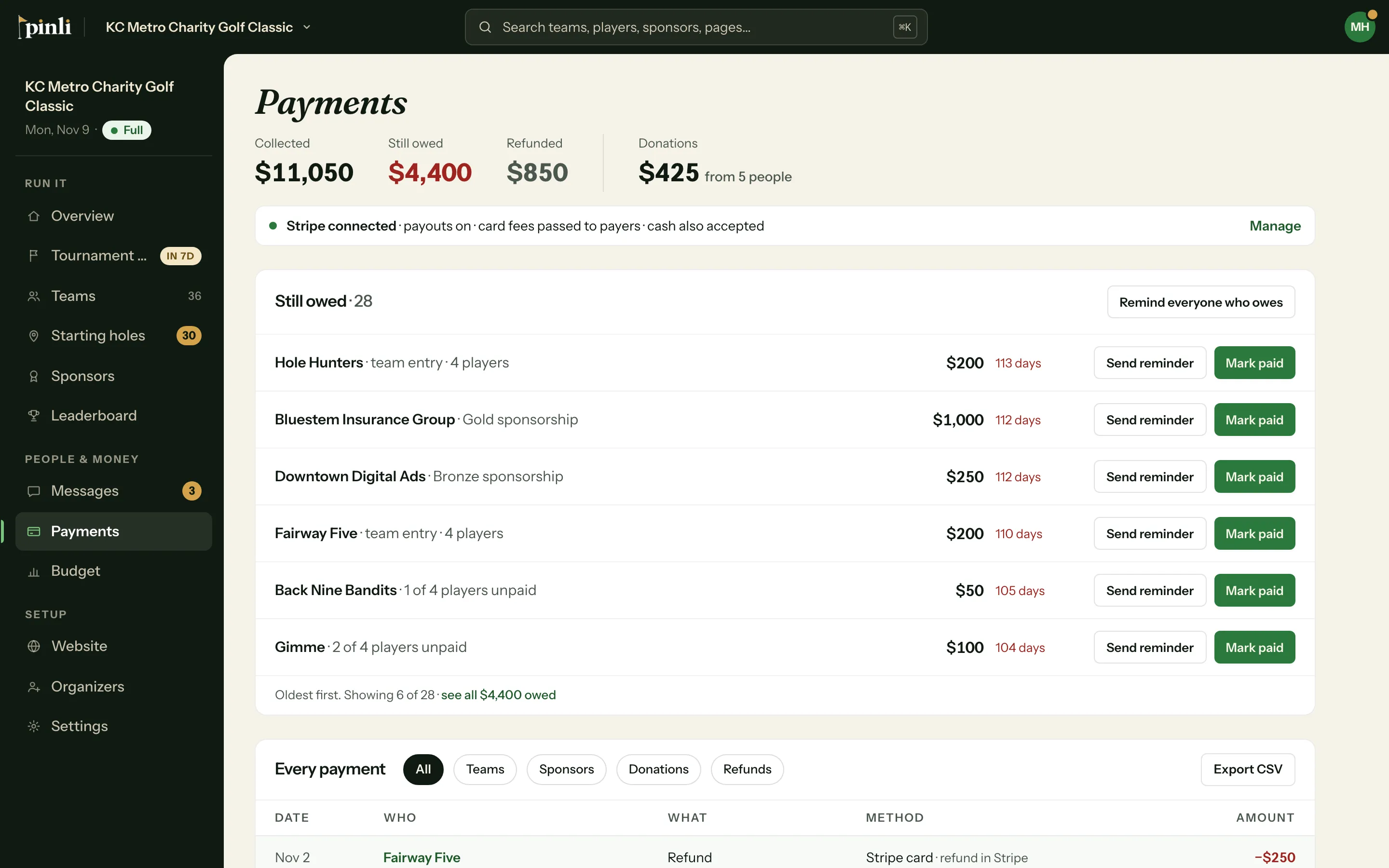
Everyone who owes is listed under Still owed on the Payments page. Click Mark paid on a row to mark that whole team or sponsor paid in one step.
Undo a mark
- Team: open the team and turn Paid off for the player.
- Sponsor: open the sponsor, click ⋯, then Mark unpaid.
Payments made online by card can’t be unmarked by hand. To undo one, refund it in Stripe. See How do refunds work?
See the history
Every mark, unmark, card payment and refund is kept. Open a team to see its Payment history, or a sponsor to see its History. Each entry shows who marked it and when. The Every payment list on the Payments page shows them all, with Marked paid or Stripe card as the method.
Common questions
Can I take cash at check-in? Yes. On tournament day, a team with players who haven’t paid shows Mark all paid with the amount owed, and checking the whole team in also marks anyone unpaid as paid.
Where do I tell people they can pay by check? In Settings → Payments, under Alternative Payment Methods, add a PayPal or Venmo link, turn on Accept cash or check on the day of the event, or add a check mailing address. These show on team and sponsor pages.
Do cash and check payments show up in my budget? Not automatically. Budget actuals fill in from card payments only. Add a line for cash you collected, or enter it as an actual on a line you track by hand.