
How do I see who still owes money?
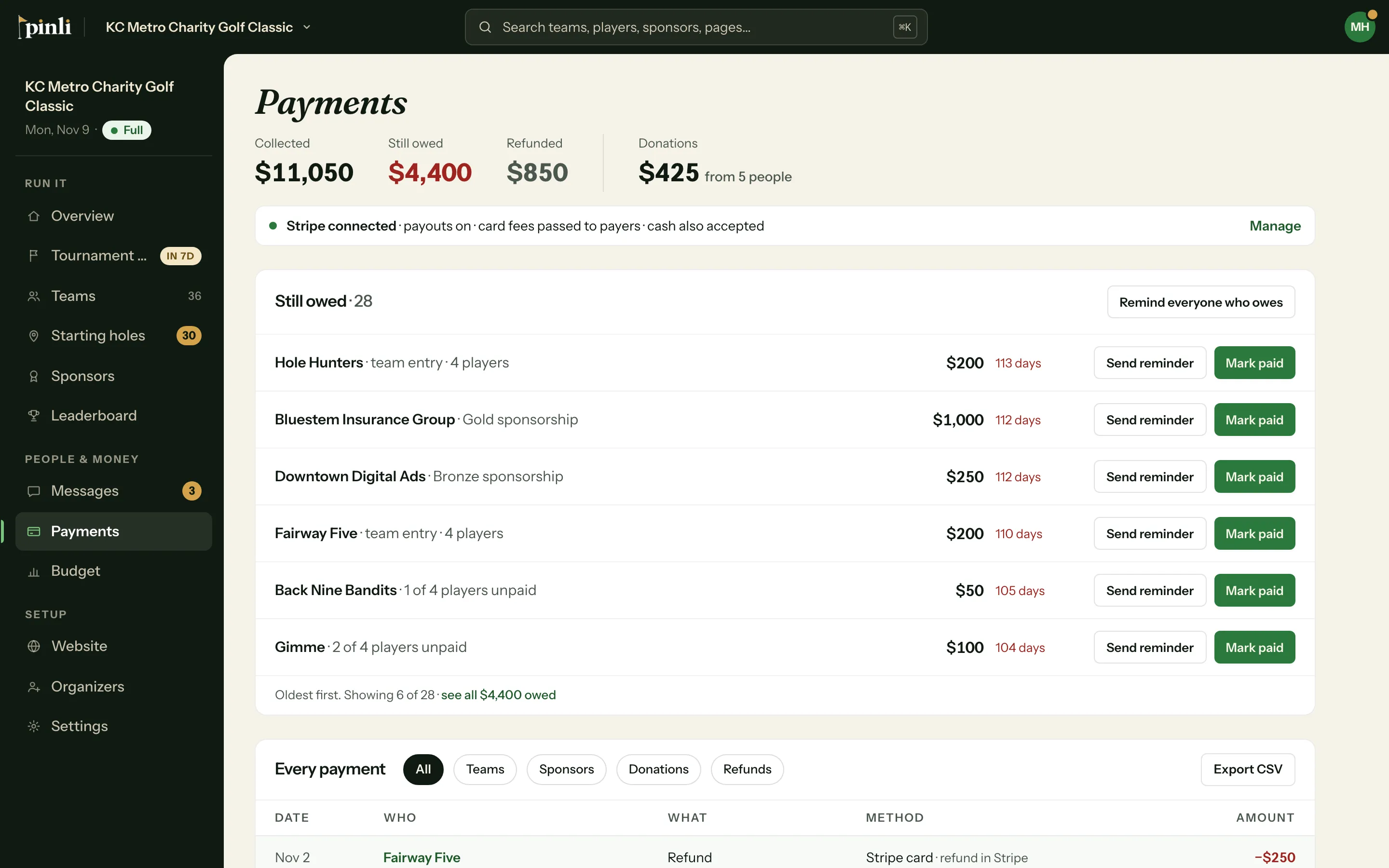
The Payments page lists every team and sponsor that still owes, oldest first, with the amount. Send a reminder or mark them paid from the same list.
The Payments page keeps a running list of who hasn’t paid, so you don’t have to go team by team.
Find who owes
- Open your tournament and go to Payments.
- Still owed at the top is the total outstanding.
- The Still owed list shows each team and sponsor that owes, oldest first: the name, what they owe for (like “2 of 4 players unpaid” or “Gold sponsorship”), the amount, and how long since they signed up.
Click a name to open the team or sponsor. Reserve teams aren’t listed. They don’t owe until they get a spot.
Send a payment reminder
Click Remind everyone who owes. This opens a new message with the Payment reminder template filled in. It goes by email to the captains and players on teams that haven’t paid, and includes each team’s pay link and the amount it owes. Read it over, edit if you like, and send.
Nothing is sent automatically. Reminders go out only when you send one.
Sponsors who haven’t paid
On the Sponsors page, click Unpaid to filter the list. Each unpaid sponsor shows what they owe. To nudge one, open them and click Share link to copy their sponsor page, where they can pay.
Common questions
Someone paid me in cash. How do I take them off the list? Click Mark paid on their row. See How do I record a cash or check payment?
Can I send reminders during the free trial? You can write and test a message, but sending to your teams needs an activated tournament.
Does the reminder go to sponsors too? No. The payment reminder goes to teams. Send sponsors their own link from the sponsor’s page.