
How do I cancel a tournament?
Go to Settings, then Cancel tournament. Tick the refund box, decide whether to email everyone, and confirm. The website comes down and sign-ups close. You can reopen it later.
On this page
If your tournament isn’t going ahead, cancel it so nobody else signs up or pays. Only a tournament’s owners can cancel it, and you can’t cancel one that’s already been played.
Just moving the date? You don’t need to cancel. See how to change the course or date.
Cancel your tournament
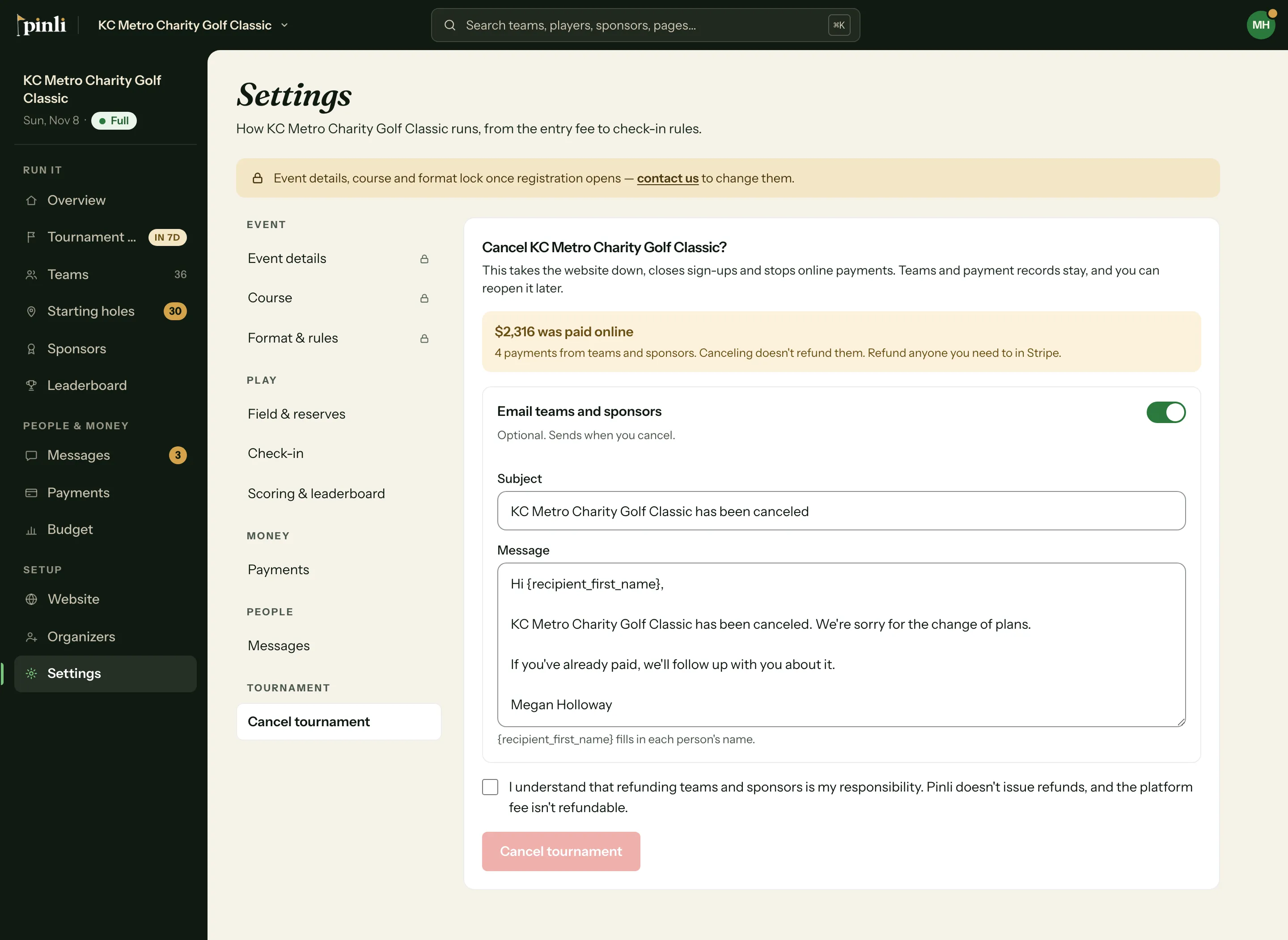
- Open your tournament and go to Settings.
- Under Tournament, click Cancel tournament.
- Decide whether to email teams and sponsors. It’s optional. You can edit the message, and it goes to everyone, including reserve teams.
- Tick the box saying that refunds are your responsibility.
- Click Cancel tournament.
In the iPhone app, it’s More, then Settings, then Cancel tournament.
What happens when I cancel?
- Your website comes down. Your web address stays reserved for you.
- Sign-ups close for teams and sponsors.
- Online payments stop, and team and sponsor pages say the tournament was canceled.
- Check-in and scoring close.
- Scheduled messages are called off. Your drafts stay.
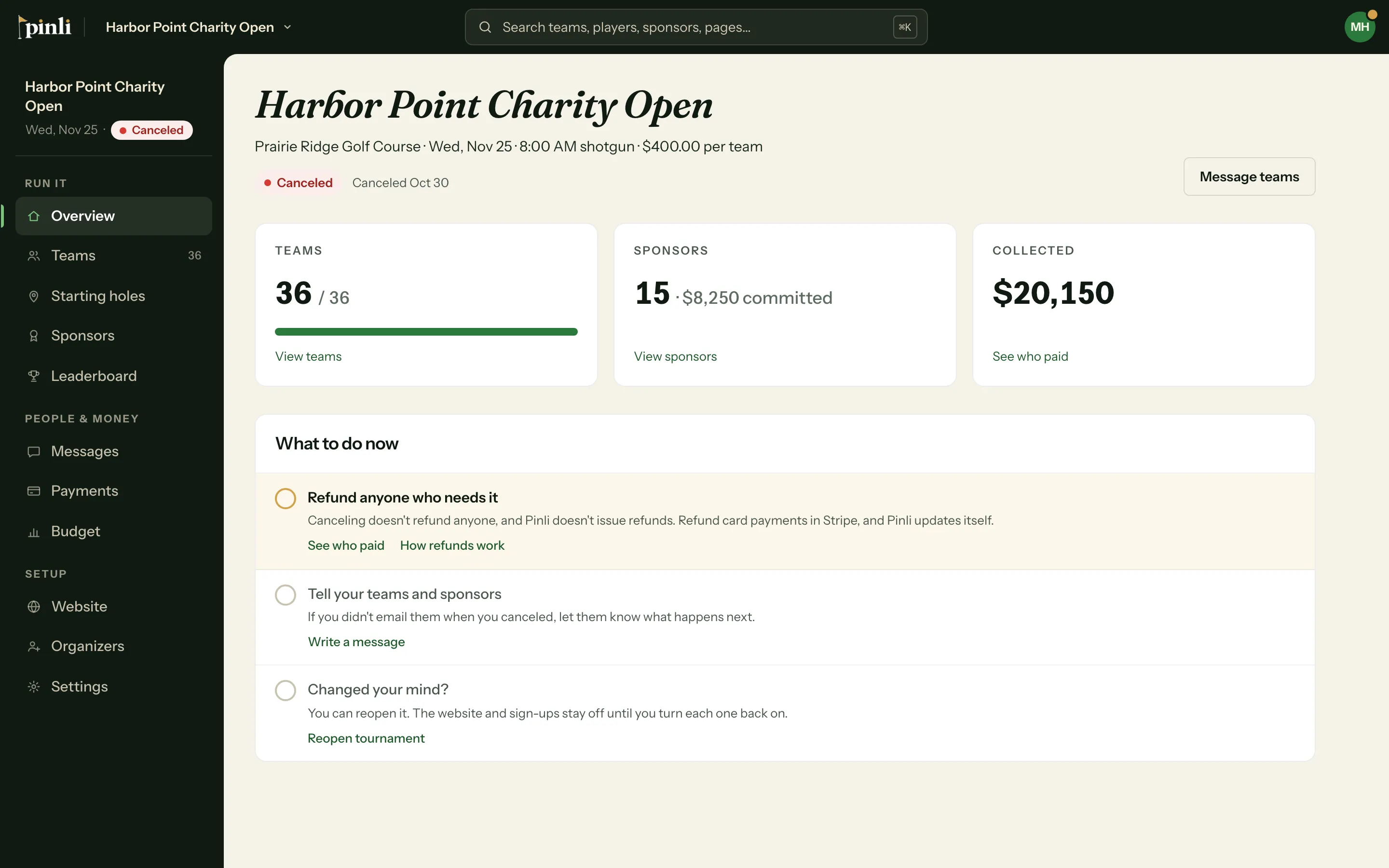
Your teams, sponsors, payment history and messages all stay, and you can still send messages. The tournament moves to Past on your tournaments page.
What about refunds?
Canceling doesn’t refund anyone, and Pinli doesn’t issue refunds. Card payments went to your own Stripe account, so you refund them there. See how refunds work.
Pinli’s platform fee isn’t refundable when you cancel.
Can I undo it?
Yes. Go back to Settings, then Cancel tournament, and click Reopen tournament.
Reopening doesn’t bring anything back by itself, so nothing goes public by surprise. Turn these back on when you’re ready:
- Sign-ups: click Turn sign-ups back on.
- Website: click Put the website back up, then publish it.
Messages that were called off stay called off, so schedule them again if you still want them.
Common questions
Why can’t I see Cancel tournament? Only owners see it. If you’re an organizer, ask an owner to cancel it, or to make you an owner on the Organizers page.
Do my teams find out automatically? Only if you leave the email on. If you turn it off, you can still send a message from Messages later.