
How do I add another organizer?
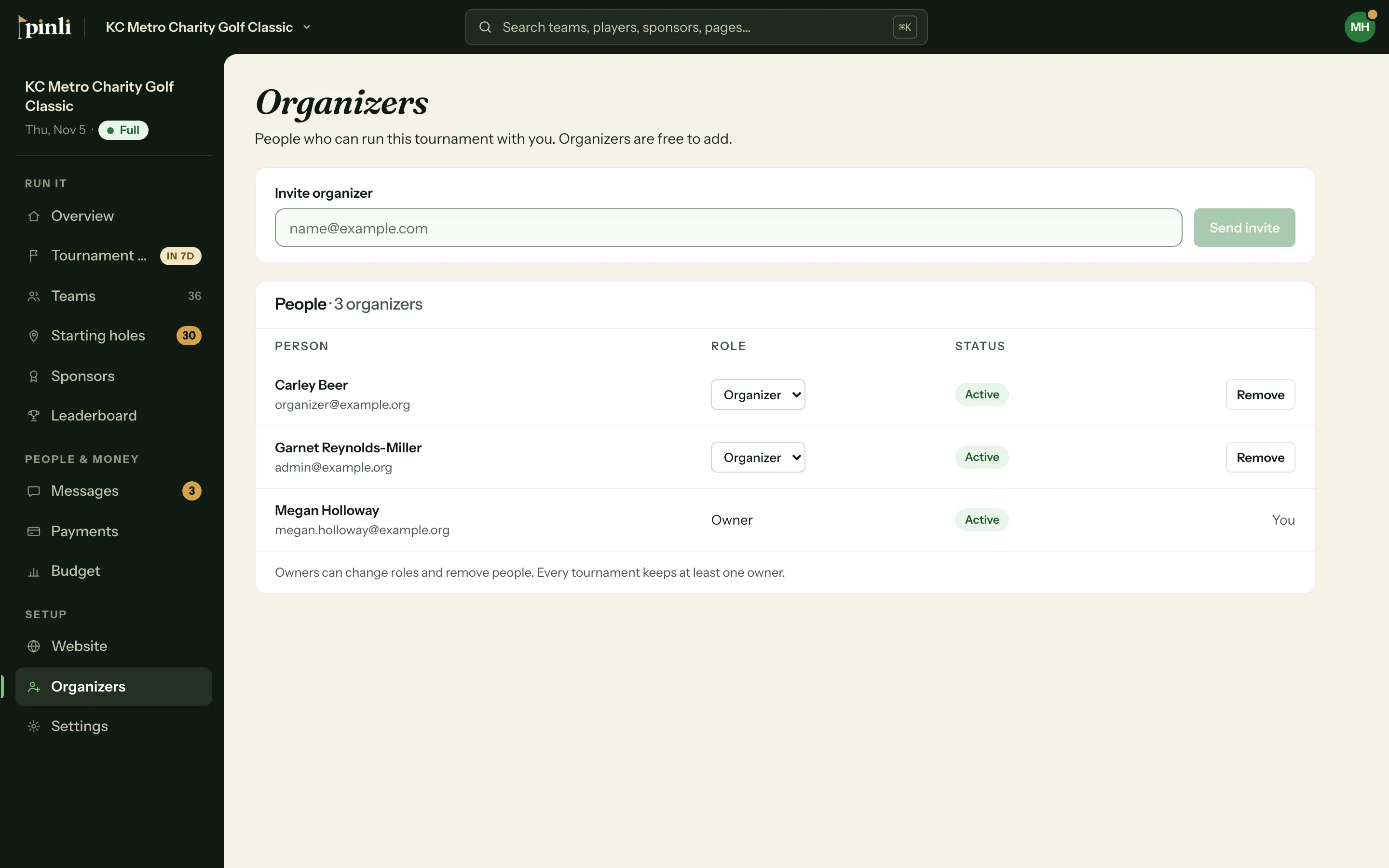
Go to Organizers, enter their email under Invite organizer and click Send invite. They accept from the email or their Invitations page and get full access. Organizers are free.
Bring your committee in. Every organizer gets full access to run the tournament, and adding them costs nothing.
Send an invite
- Open your tournament and go to Organizers.
- Type their email under Invite organizer.
- Click Send invite.
They get an email with a link to accept. They need to sign in, or make an account, with the address you invited. Until they accept, they show in the list as Invited, with Resend and Cancel.
Accept an invite
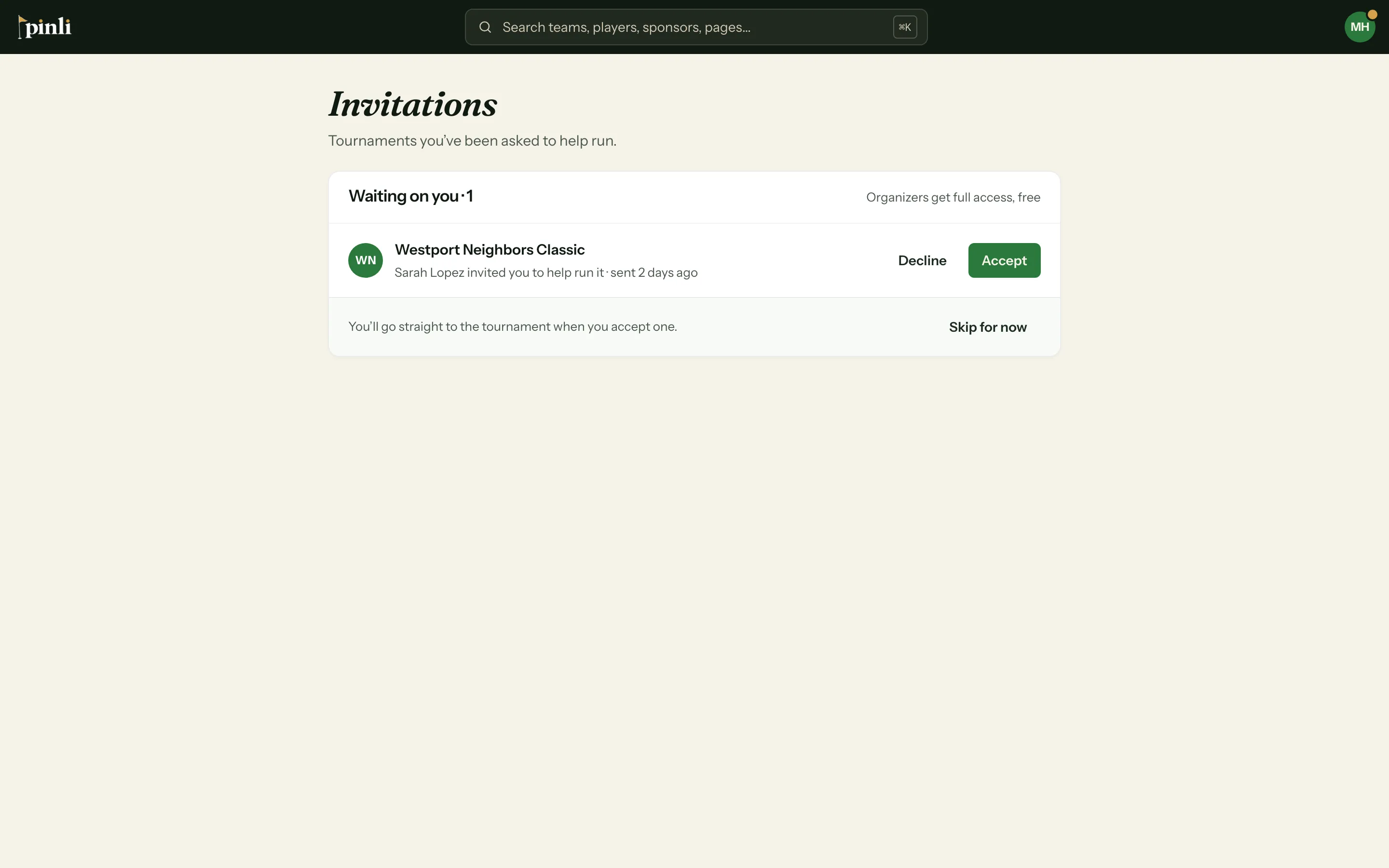
If someone invited you, open the link in the email. Sign in, or make an account with that email, and you’re in.
Already signed in? Your pending invites show on My Tournaments and on the Invitations page. Click Accept and you go straight to the tournament, or Decline.
Owners and organizers
Everyone on the list can run the tournament: settings, teams, sponsors, payments, messages, and inviting more organizers.
Owners can also:
- Change anyone’s role between Owner and Organizer
- Remove organizers
- Plan the next event in a recurring series
Whoever creates the tournament is its first owner. You can have more than one, and every tournament keeps at least one.
Common questions
The invite says it’s for a different account. You’re signed in with a different email than the one invited. Sign out and sign in with the invited address, or ask for an invite to the email you use.
Do invites expire? No. An invite works until it’s accepted, declined or cancelled.
How do I leave a tournament? Go to Organizers and click Leave next to your name. If you’re the only owner, make someone else an owner first.