
How does the reserve list work?
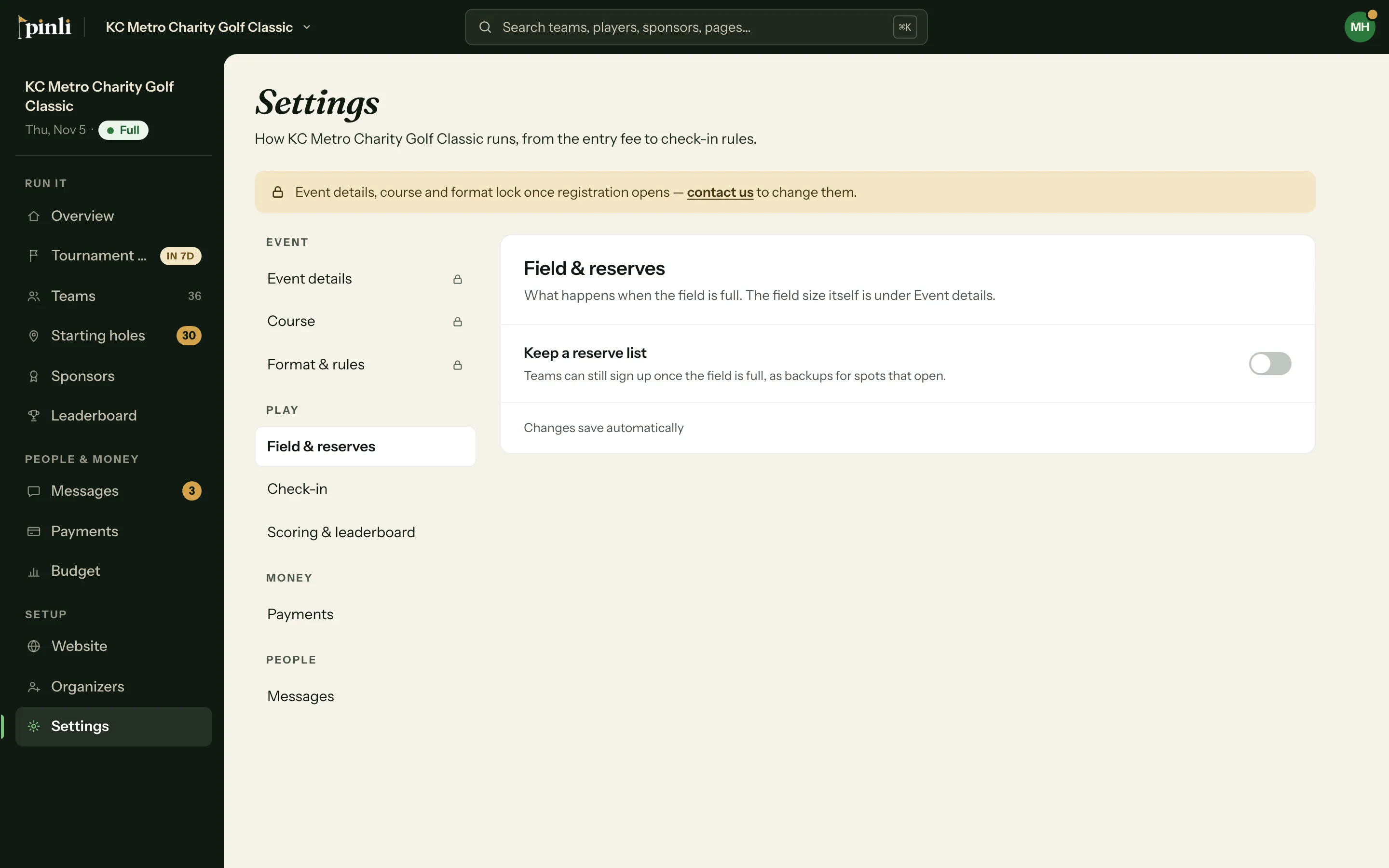
Turn on Keep a reserve list in Settings, then Field & reserves. Once your field is full, teams can join the list, and when a spot opens the next team in line is offered it.
On this page
A reserve list keeps sign-ups going after your field is full. Teams that join it are backups for spots that open, so a dropout doesn’t leave a hole empty.
Turn it on
- Open your tournament and go to Settings → Field & reserves.
- Turn on Keep a reserve list.
- Set Reserve spots: how many backup teams can sign up.
- Leave Offer open spots automatically on if you want Pinli to invite the next team when a spot opens.
- Pick a Time to accept: no limit, 24 hours, 48 hours or 1 week.
How teams join
When your field is full, captains who sign up are told they’re joining the reserve list and confirm before they submit. Their team page says they’re on the reserve list. Reserve teams don’t pay or check in until they get a spot.
What happens when a spot opens?
With Offer open spots automatically on, removing a team from the field invites the first team on the reserve list:
- The captain gets an email, and their team page shows A spot has opened up!
- They accept to claim the spot, then pay like any other team.
- If they decline, or the time to accept runs out, the offer moves to the next team.
Only one offer goes out at a time. If an offer is still waiting when another spot opens, no second invite goes out automatically.
Manage the list yourself
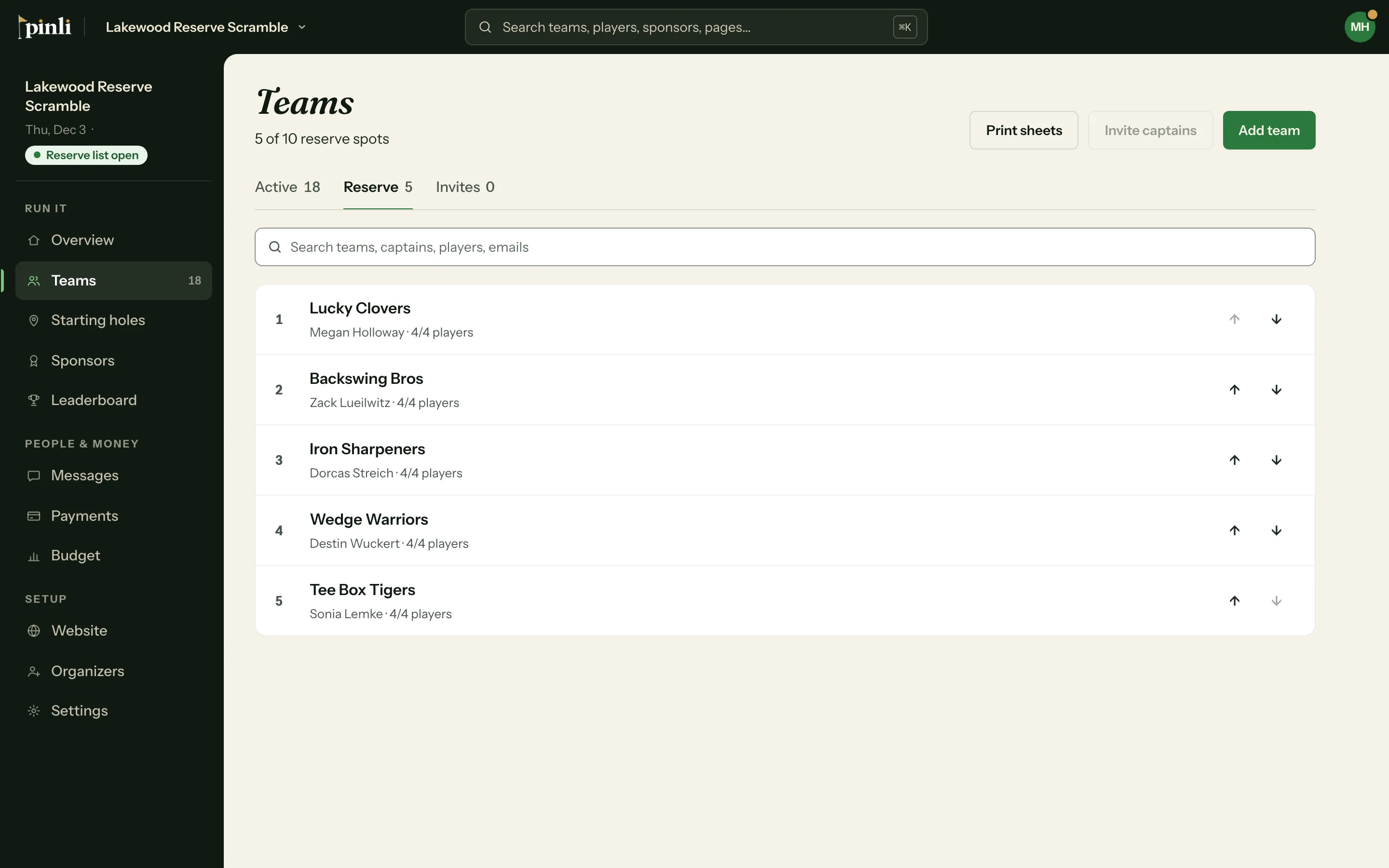
Go to Teams and open the Reserve tab. Use the arrows to change the order.
To offer a spot by hand, open a reserve team and click Give them a spot, then Send invitation. If you’ve already talked with the captain, tick Skip the captain’s confirmation and click Move into the field to add them straight away.
Common questions
Do reserve teams count toward my trial limit? Yes. On a trial, reserve teams count toward the 5 teams.
Why can’t I turn the reserve list off? Teams are already on it. Give them a spot or remove them first.
What if the captain accepts after the spot is gone? They stay on the reserve list, and their team page tells them so.