
Why can't I change my course or date?
Event details, the course and the format lock once registration opens, because teams signed up for that event. Change them before you open registration, or contact us.
On this page
Once registration opens, teams are signing up for a specific course, date and price. Pinli locks those details so they can’t change under people who already registered.
What locks when registration opens?
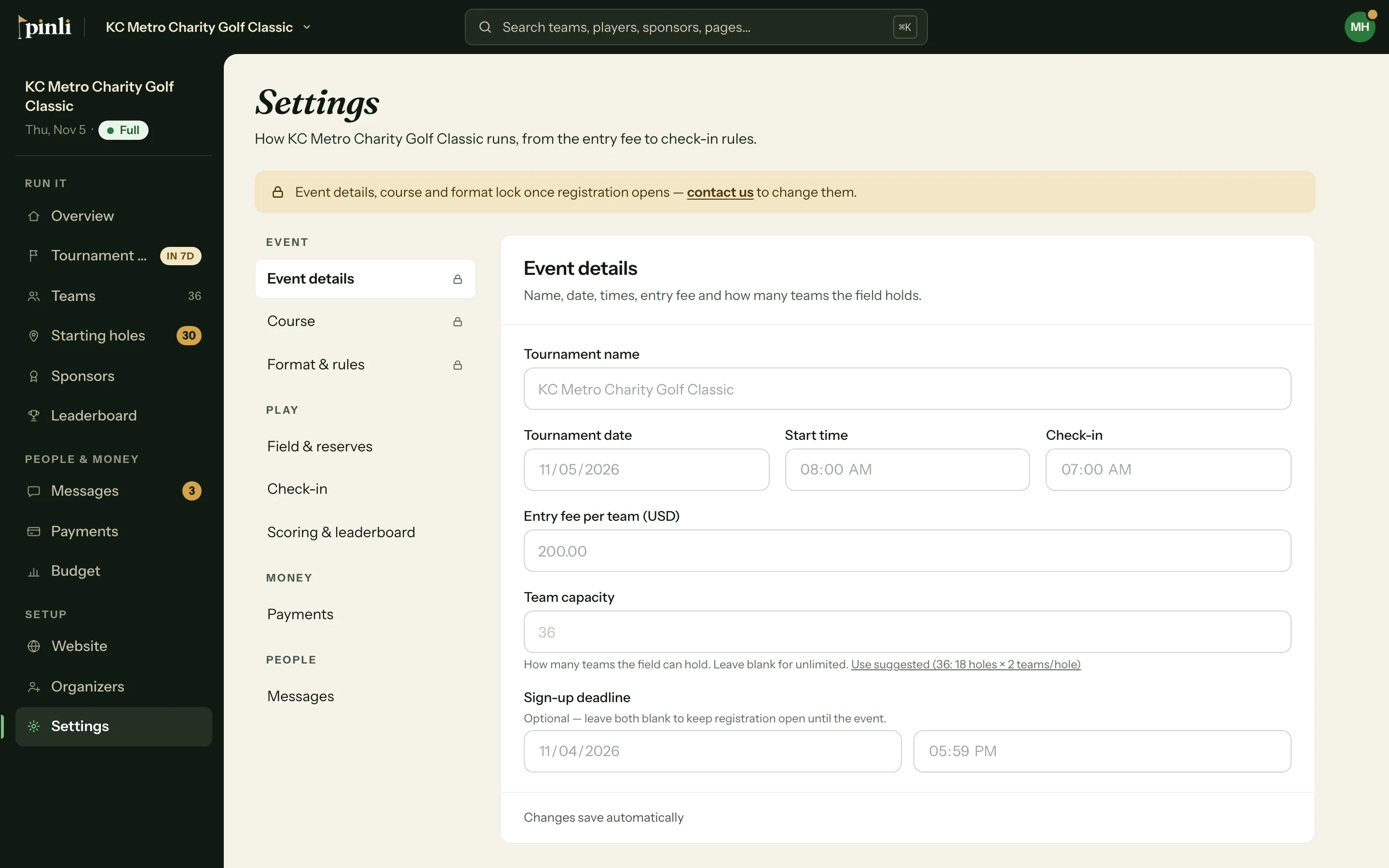
In Settings, three sections show a lock icon:
- Event details: name, date, start time, check-in time, entry fee, team capacity and sign-up deadline
- Course: the golf course you’re playing
- Format & rules: format, team size, mulligans and minimum drives
The top of Settings says “Event details, course and format lock once registration opens.”
What can I still change?
- Field & reserves, Check-in, Scoring & leaderboard, Payments and Messages settings
- Teams per hole, with Change it and reassign holes under Format & rules. See How do team size, teams per hole and field size work?
- Your website, sponsor levels, teams and everything else outside those three sections
Need to change something anyway
If your date moves or you switch courses after registration opens, contact us at support@pinli.io with your tournament name and what needs to change.
To avoid it, check your course, date and entry fee before you click Open registration. The confirmation asks you to, since your format, team size and entry fee lock once it’s open.
Common questions
Can I close registration to unlock my settings? No. Close registration stops new teams from signing up, but it doesn’t unlock anything, and it can’t be undone.
Why does the course lock? Your field size and every team’s starting hole come from the course’s holes. Changing the course would change both.
Can I change things during the trial? Yes, as long as registration isn’t open yet. Opening trial registration locks the same details.