
How do I run my first tournament on Pinli?
Create the tournament, finish its settings, connect Stripe, set up a website, open registration, and activate when you're ready for your full field.
On this page
Setting up a tournament is free. You can build the whole thing, open registration, and take your first real sign-ups before you pay anything. You only pay when you’re ready for your full field.
Before you start: have your course, your date, and your entry fee per team. Everything else can wait.
1. Create the tournament
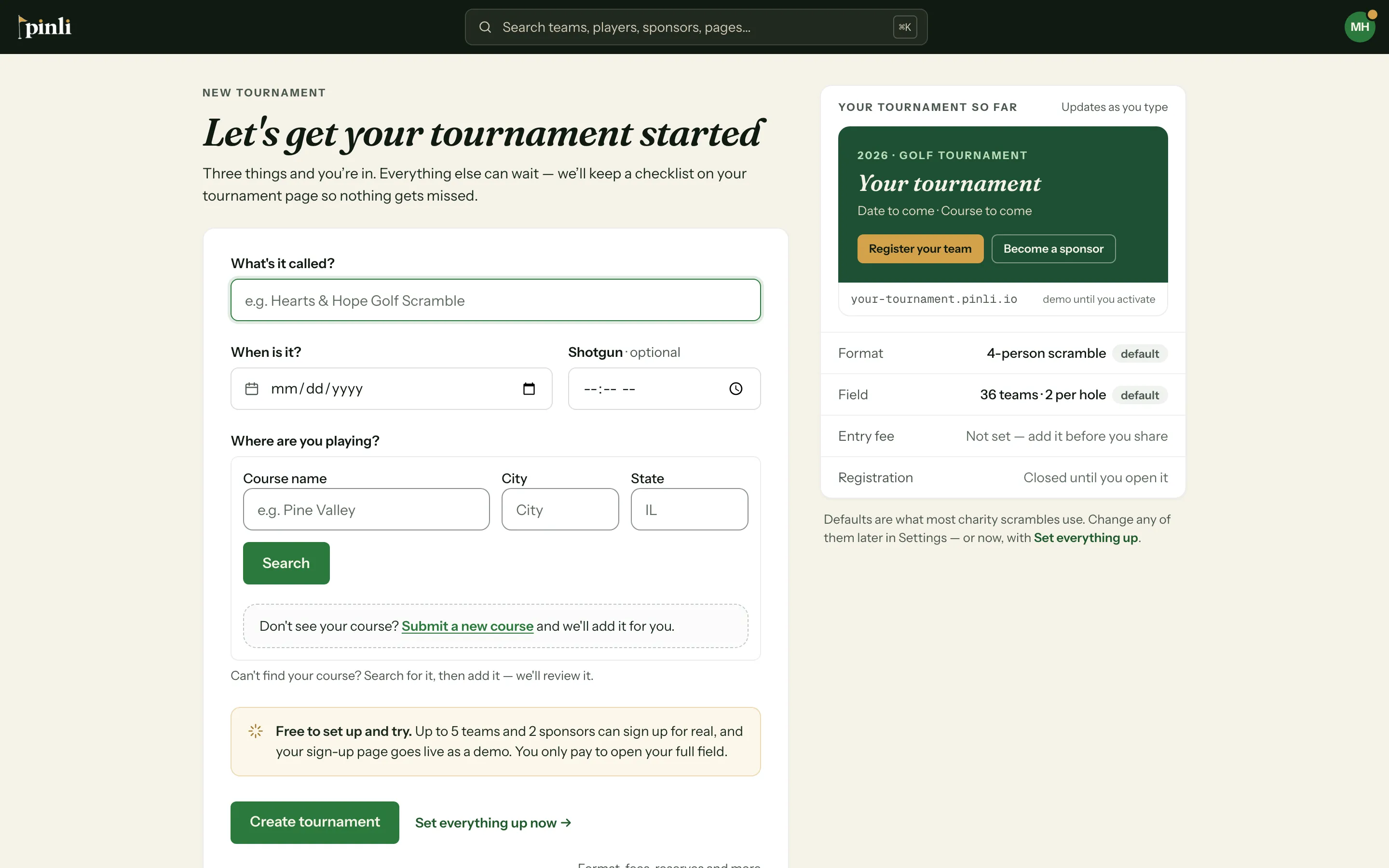
From My Tournaments, click New tournament. You need three things: a name, the date, and the course you’re playing. Search for your course by name and city. If it isn’t listed, use Submit a new course and keep going while it’s reviewed.
2. Finish your settings
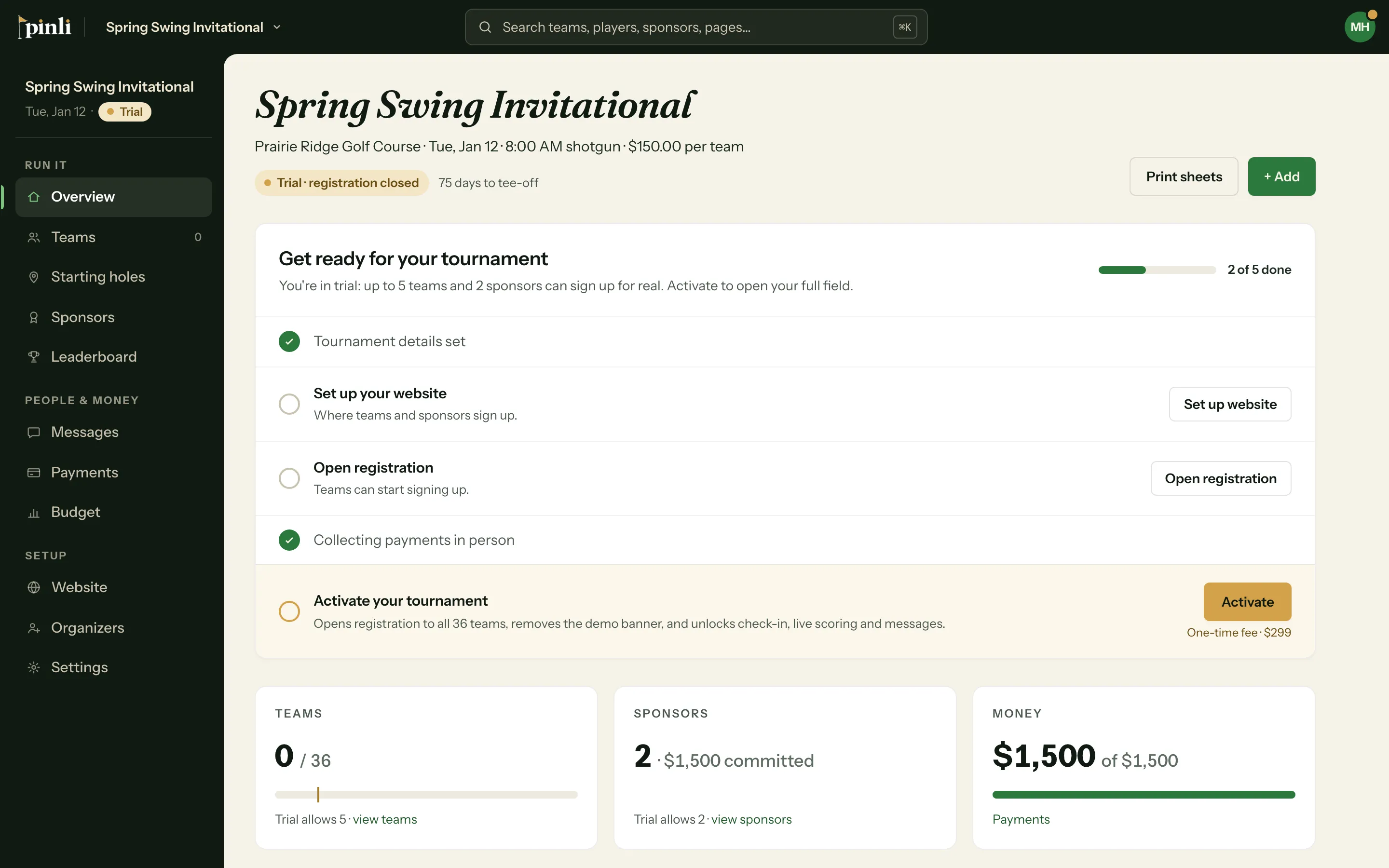
Your tournament opens on its Overview, with a short checklist of what’s left. Open Settings to set:
- Format & rules: scramble or best ball, players per team, how many teams start on each hole, and mulligans.
- Event details: entry fee per team, how many teams the field holds, the shotgun time, and when check-in opens.
- Field & reserves: whether a reserve list fills in when the field is full.
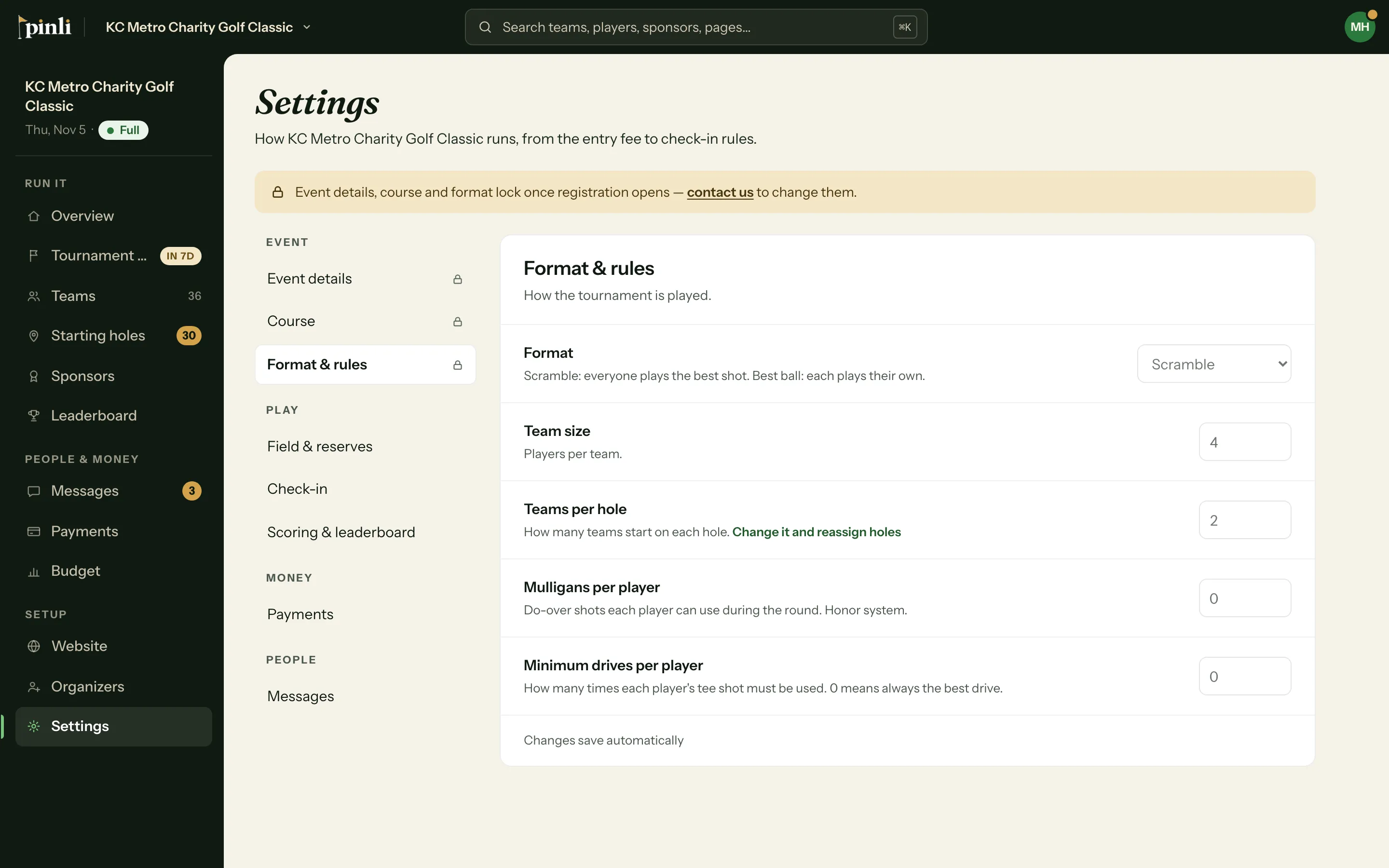
Event details, the course and the format lock once registration opens, so check them before you open it. If something has to change after that, contact us.
3. Connect Stripe
Pinli takes payments through your own Stripe account, so entry fees and sponsorships go straight to you. You can connect it now and it’ll be ready the day you activate. See How do I connect Stripe?
4. Set up your website
Pick a template and publish a site at your-tournament.pinli.io, or add Pinli’s sign-up to the website you already have. See How do I publish my tournament website?
5. Open registration
Click Open registration on the Overview checklist. Captains can now register their teams. While you’re on the free trial, up to 5 teams and 2 sponsors can sign up for real, and your website runs as a 30-day demo.
6. Activate
When you’re ready for your full field, click Activate on the Overview. It’s a one-time fee equal to one team’s entry fee ($299 minimum), and every feature is included. Activating unlocks:
- Your full field of teams and sponsors
- Online payments from teams and sponsors
- Messages and announcements to your field
- Check-in, start sheets and printable rosters
- Live scorecards and the leaderboard
- Your website for good, with no demo banner
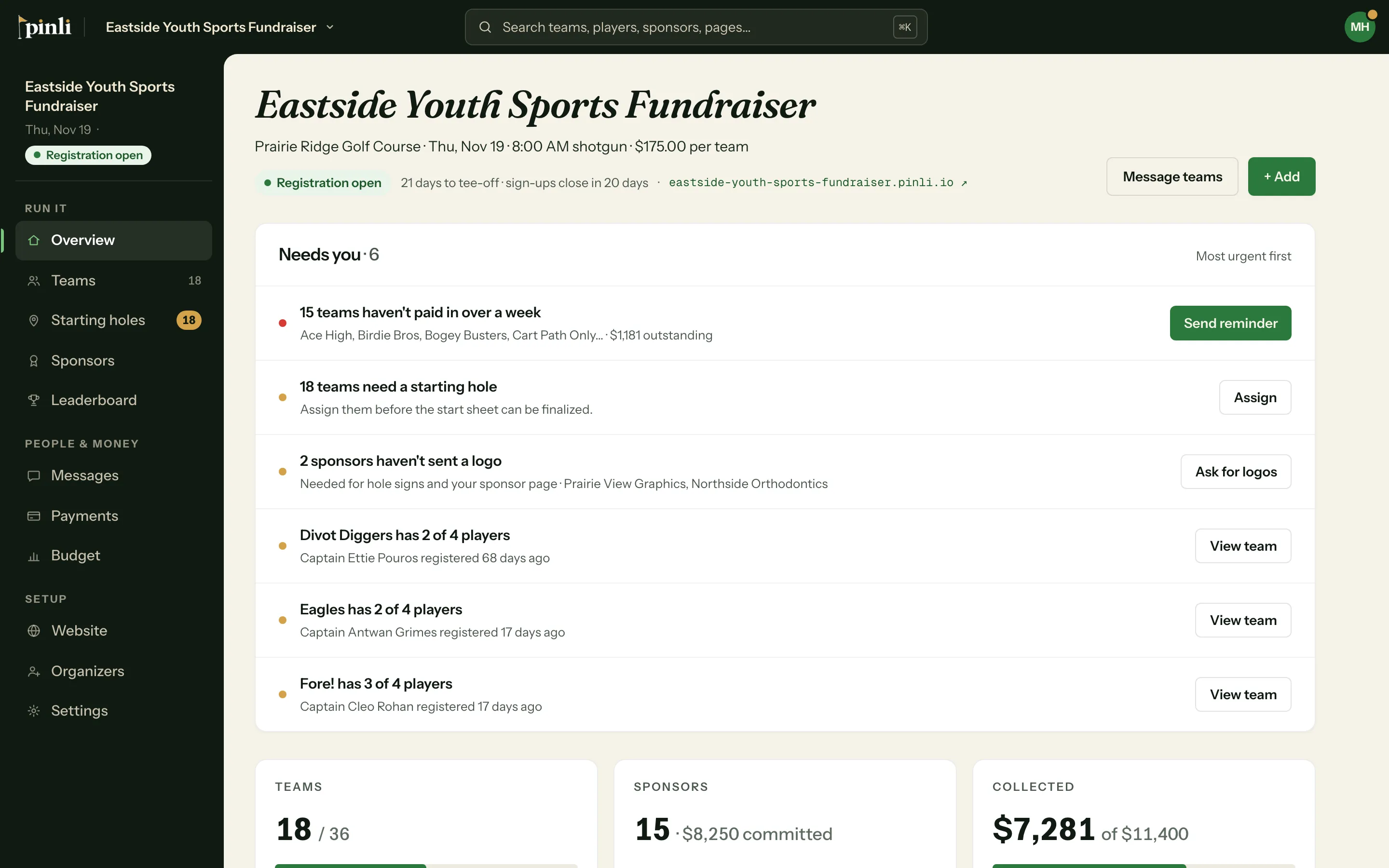
Once registration is rolling, the Overview shows what needs you next.
Common questions
Can I try it without real sign-ups? Yes. Build everything, publish the demo site, and open registration only when you’re ready. Nothing is charged until you activate.
What happens to the 5 trial teams when I activate? They stay. Activating just lifts the limit and opens online payments.
Do I pay per player or per registration? No. It’s one flat fee per tournament. Card processing fees (about 2.9% + 30¢ per payment) go to Stripe, not Pinli.