
How do mulligans work?
If your tournament sells mulligans, buy them on your team page, or from the organizer at check-in. During the round, your captain marks each one on the scorecard on the hole where it's used.
A mulligan is a do-over: hit a shot again and play the better one. Each mulligan belongs to one player, and your tournament sets the price and how many each player can have.
Buy them on your team page
Open your team page from the link in your email. If your tournament sells mulligans, a Mulligans card shows what each player has.
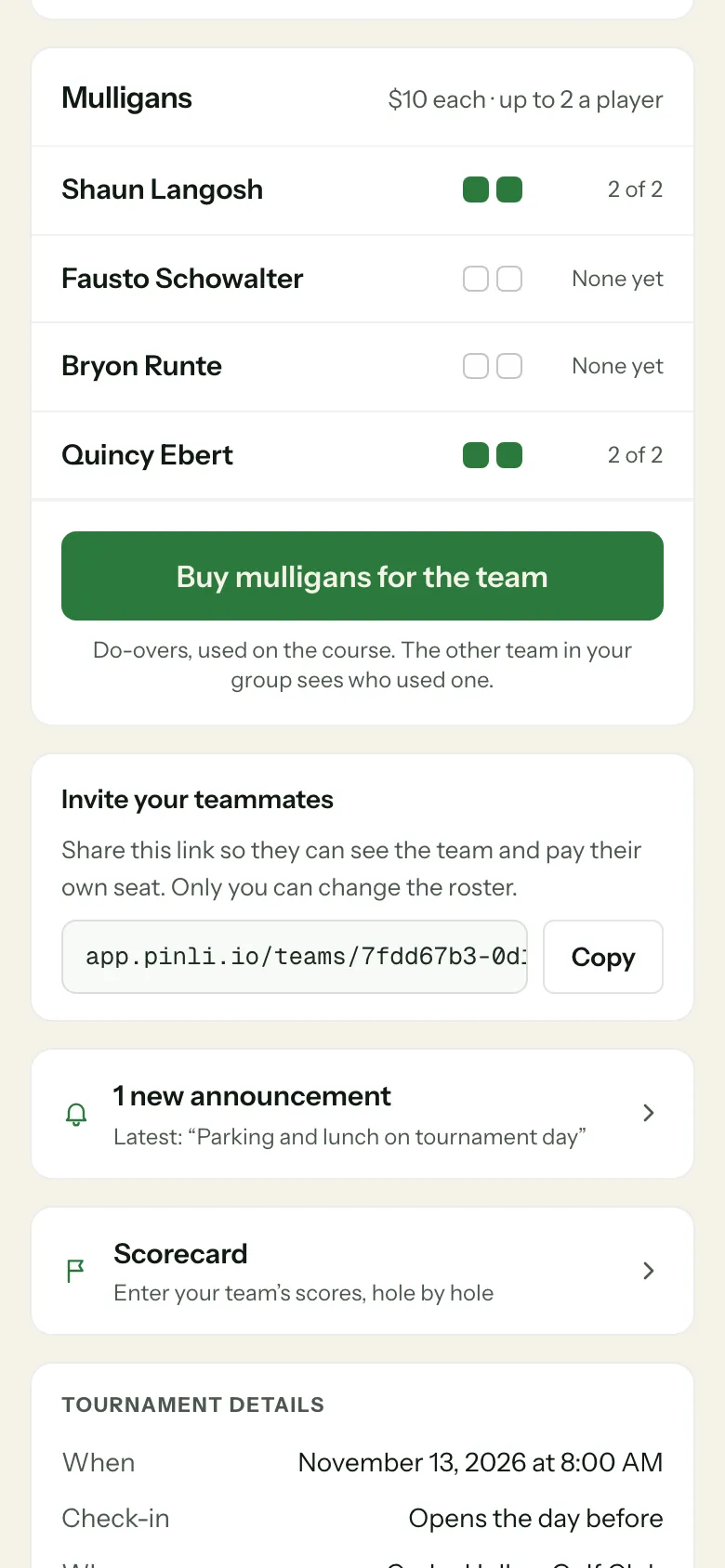
- Tap Buy mulligans. It says Buy mulligans for the team if you’re the captain.
- Pick how many for each player. Max for everyone fills everyone up to the limit. You can buy for anyone on your team, not just yourself.
- If your tournament takes donations, you can add a gift. It’s optional and starts unticked.
- Check the total, add your name and email for the receipt, and pay by card.
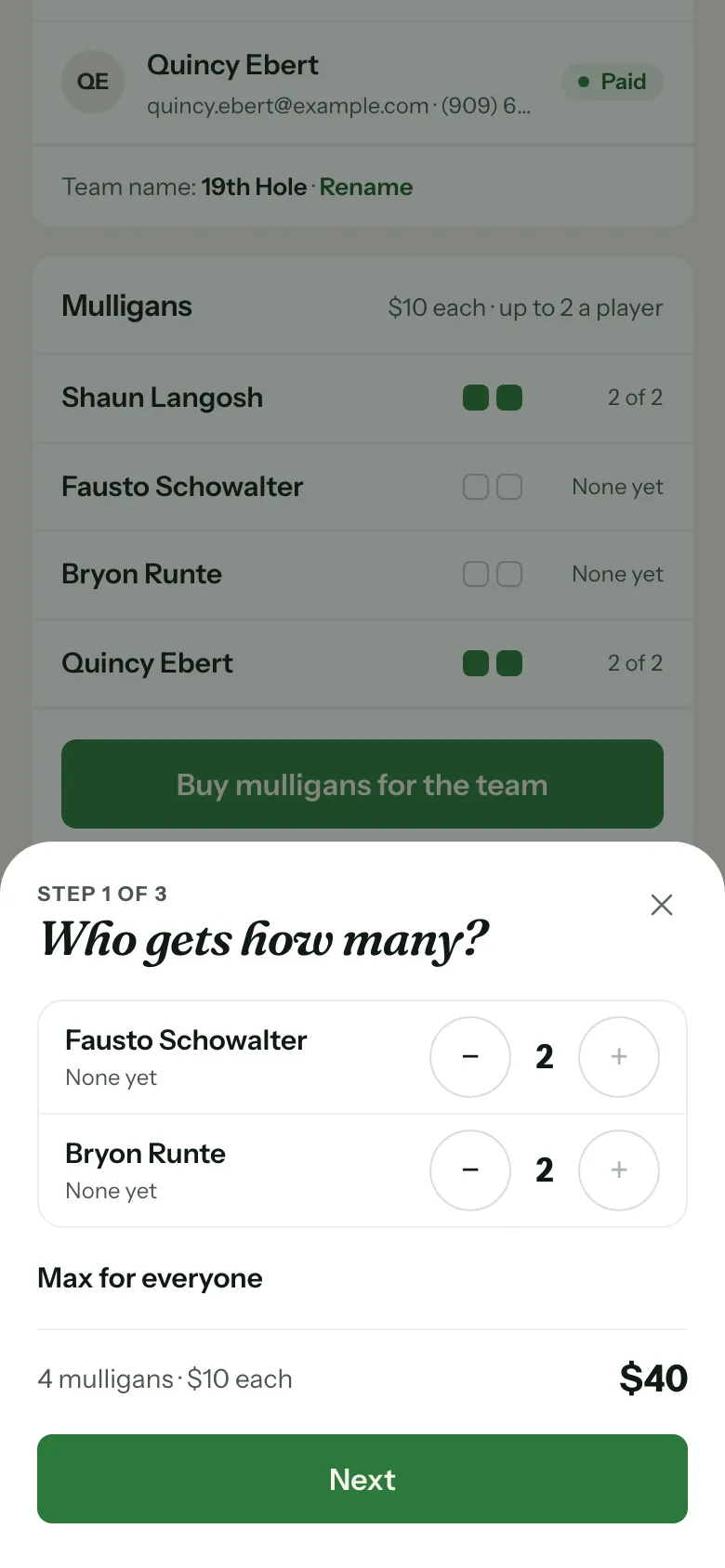
Your receipt comes by email. The mulligans show on your team page a few seconds after you pay.
If the card says to get them from the organizer at check-in, your tournament isn’t selling them online. Bring cash.
Use them on the course
The captain marks mulligans on the scorecard. Under the score for each hole, Mulligans used on this hole shows a button for each player with how many they have left. Tap a player when they use one, and tap again to undo.
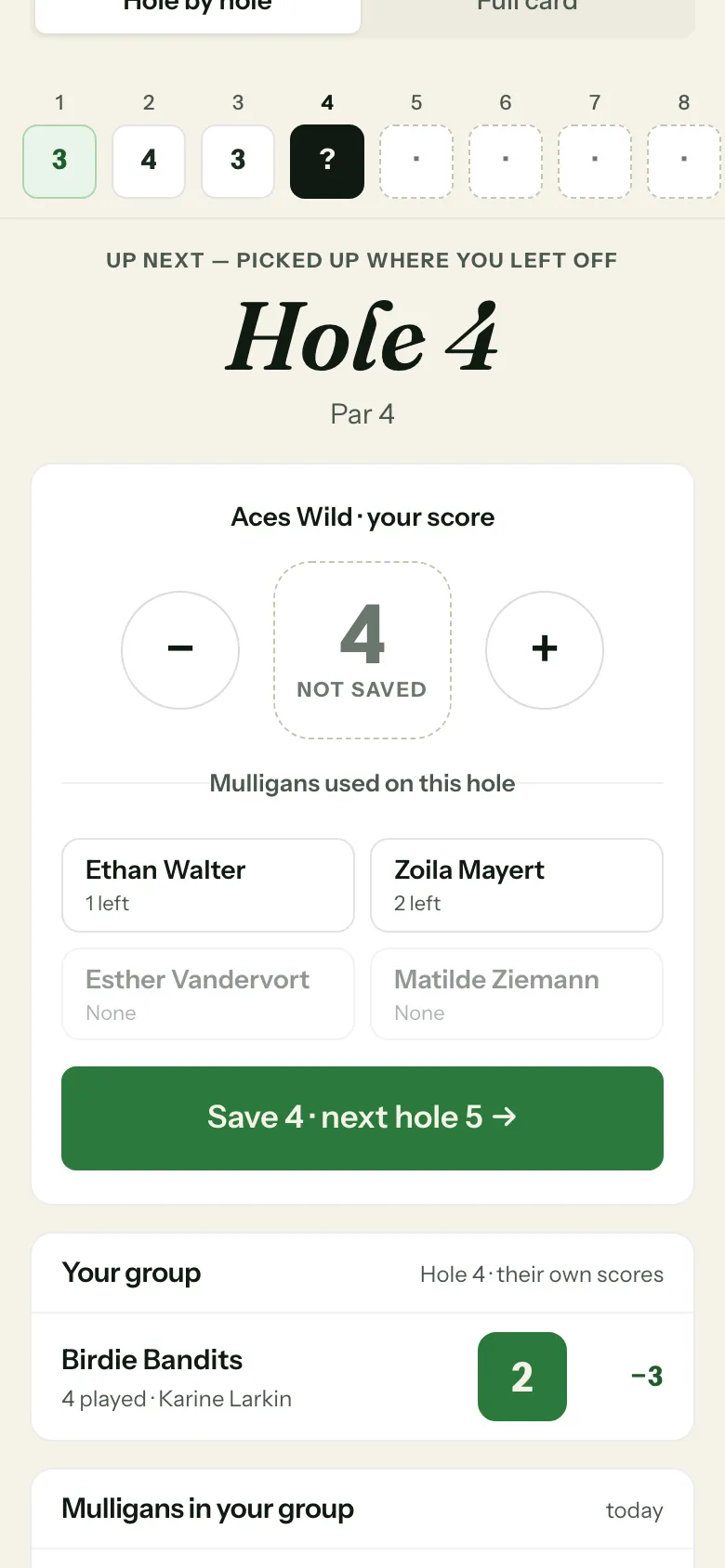
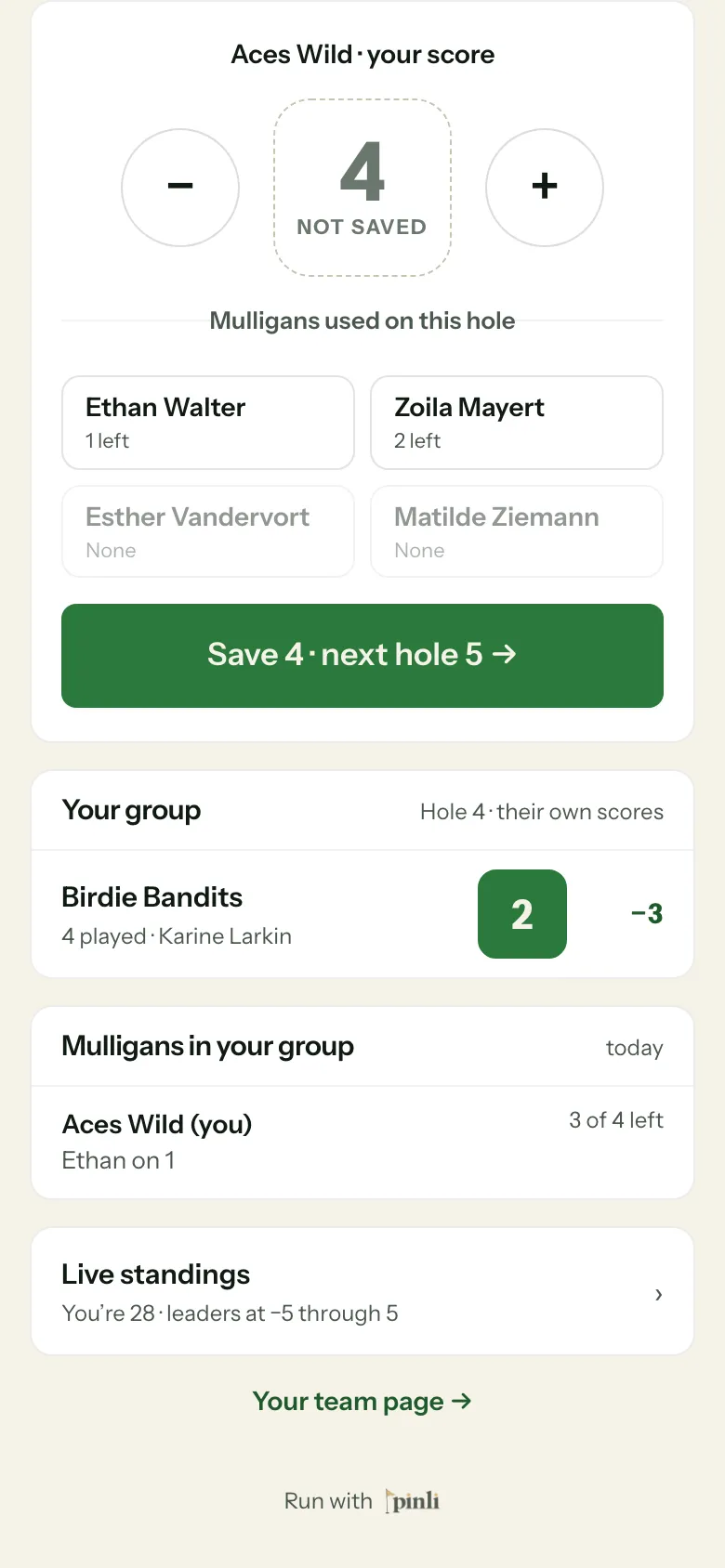
Each player can use one per hole, and never more than they have. The other team in your group sees every mulligan your team uses, and you see theirs, in Mulligans in your group.
Common questions
Can teammates mark their own mulligans? No. The captain keeps the scorecard, so the captain marks them.
Do mulligans change our score? No. Enter the score you finished the hole with. The mulligan is just a record of the do-over.
What if there’s no signal? Scores save on the phone and send later, but marking a mulligan needs a connection. Mark it when you’re back in signal.
Can I get a refund? Ask your organizer. Refunds go through them.