
How do I enter my team's scores?
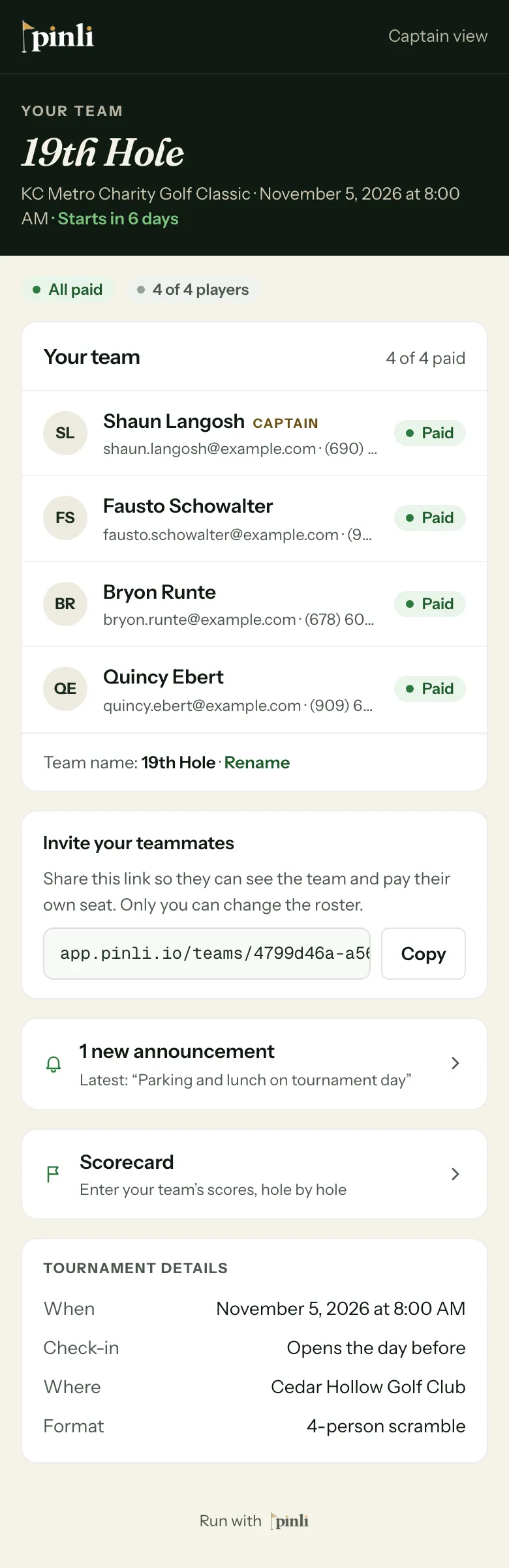
On tournament day, open your team page from the captain's link in your email and tap Scorecard. Enter each hole's score and tap Save. There's no app and no login.
The team captain keeps score for the team, right from their phone.
Before you start: find the email you got when you registered. It has your captain’s link to your team page. Only the captain’s link can enter scores. Teammates’ links show the team but can’t score.
Open your scorecard
On tournament day, open your team page and tap Scorecard. It opens on the hole you started on.
Enter scores, hole by hole
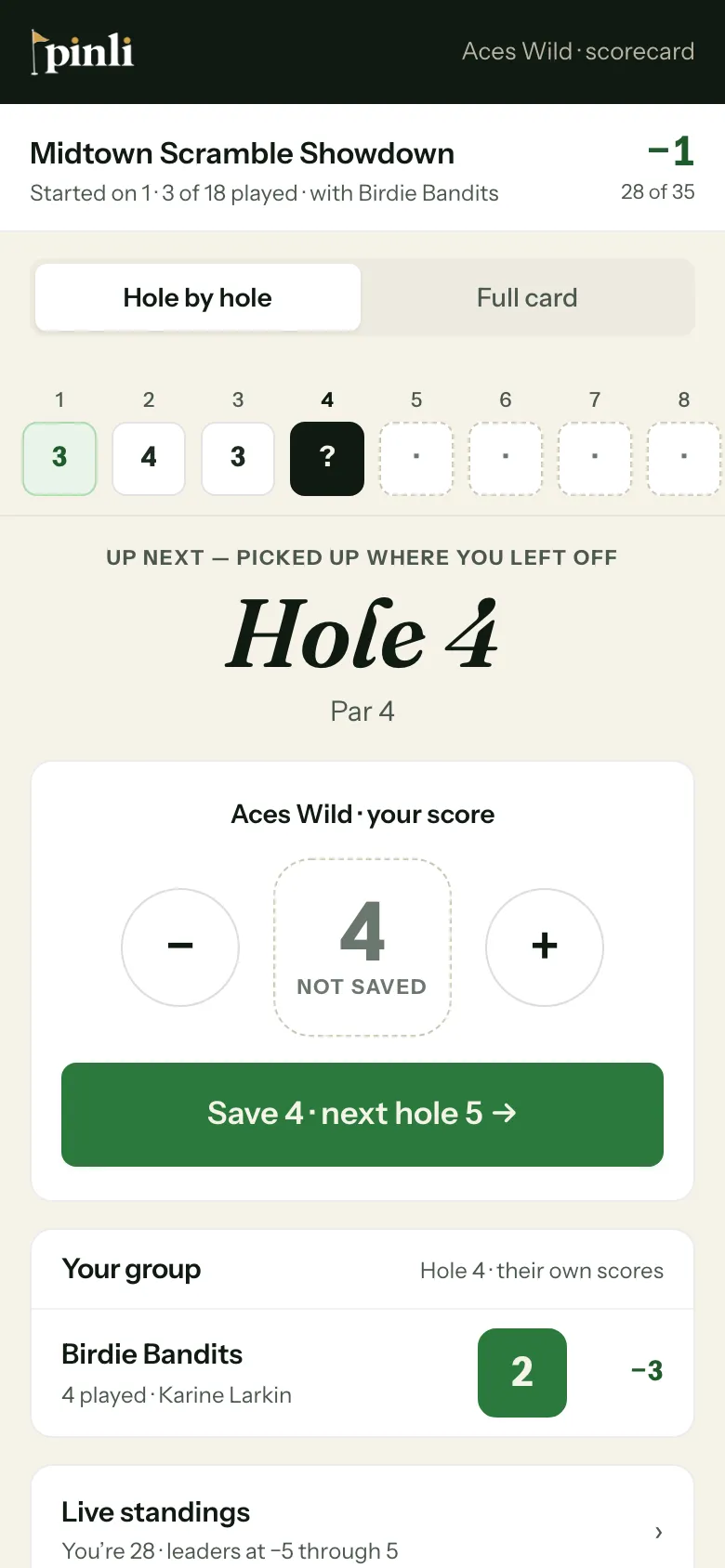
- Use − and + to set your team’s score. It starts at par.
- Tap Save. The scorecard moves you to the next hole.
- Keep going. The row at the top shows every hole, and Full card shows the whole round at once.
Under your score, Your group shows the other team(s) playing with you. They enter their own scores. Live standings shows where you rank.
Fix a wrong score
Tap the hole in the row at the top, change the score, and save again. You can fix scores until the organizer locks scoring at the end of the round. After that, find the organizer.
Common questions
What if I lose signal on the course? Keep scoring. Scores you enter without signal are saved on your phone and sent automatically when you’re back in range.
My team page says the scorecard “opens once the tournament is activated” or “once your captain is marked paid.” The organizer needs to finish one of those first. Let them know. It only takes them a moment.
Can a teammate keep score instead? Only with the captain’s link. If you share it, that person can also change your roster, so share it only with someone you trust to do both.