
What does the Tournament day page show?
Tournament day walks you through check-in, the round, the last cards and results, and shows the one next thing to do. It opens a week before your event so you can practice.
On this page
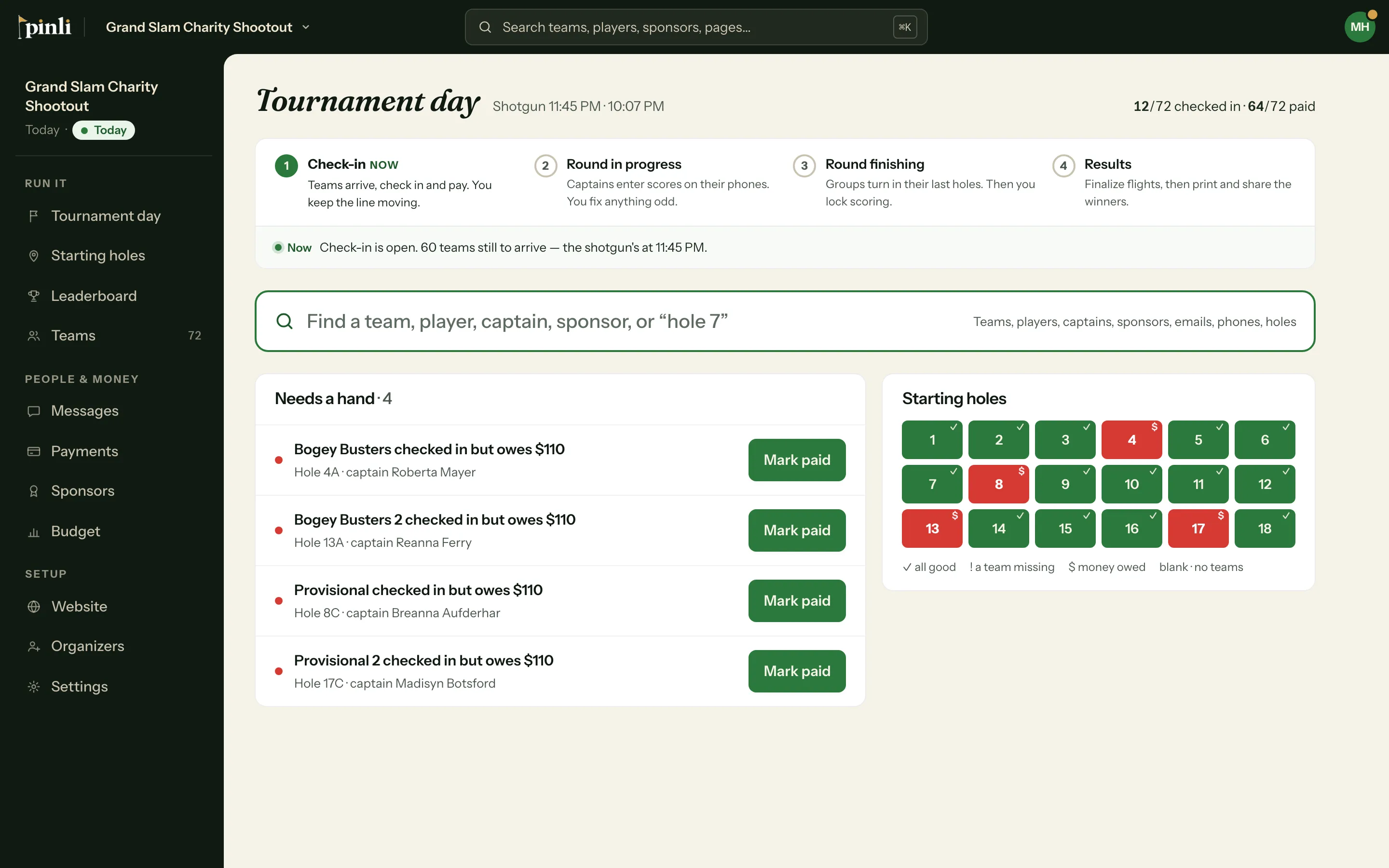
Tournament day is where you run the event. It shows where the day is, what needs you, and how scoring is going, and it updates on its own.
Before you start: Tournament day is for activated tournaments. It isn’t available on a free trial.
When does the page show up?
Tournament day appears in the sidebar 7 days before your event and stays for 3 days after. Before the day it runs as a practice view. Everything works, so try it out. On the day itself, it takes the place of the Overview.
The four steps of the day
A strip across the top shows where you are, with the current step marked NOW:
- Check-in: teams arrive, check in and pay. Search for anyone, check them in or mark them paid, and see who still needs a hand. See How does check-in work on tournament day?
- Round in progress: captains enter scores on their phones. You fix anything odd.
- Round finishing: groups turn in their last holes. Then you lock scoring.
- Results: finalize flights, confirm winners, then print and share them.
During the round
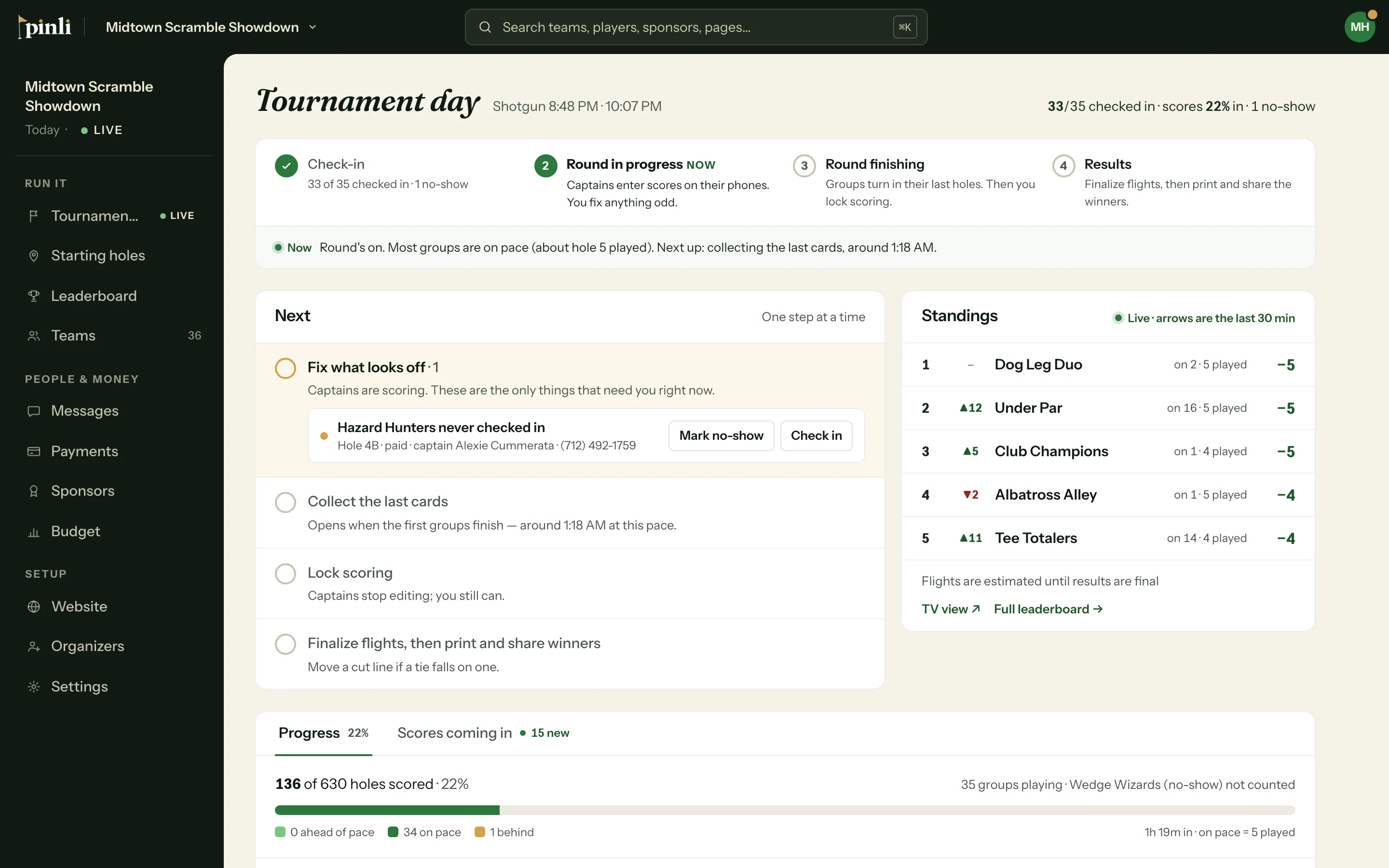
The Next card shows one step at a time:
- Fix what looks off: scores that are probably typos (4 or more over par, or a 1 on a par 4 or 5), skipped holes, groups with no new score in 30 minutes, and teams that never checked in.
- Collect the last cards: opens when the first groups finish.
- Lock scoring: captains stop editing. You can still fix any score.
- Finalize flights, then print and share the winners.
Beside it, Standings shows the top 5. The arrows show who moved in the last 30 minutes.
Below that:
- Progress shows how many holes are in and which groups are behind pace. Near the end it becomes Cards still out.
- Scores coming in lists the newest scores first. Filter by All, Birdies & better or Flagged.
- On the course maps each group onto the hole it’s playing, with quiet or flagged holes marked.
Click any team or sponsor to open its details without leaving the page.
Results
Once you lock scoring, the page moves to results. It shows “If it ended now” until you finalize, then the final places. From here you confirm winners, add prizes, print the awards sheet, and share the results. See How do I lock scores, finalize flights and announce winners?
Common questions
Why does the page say “Practice view”? Your tournament is still a few days away. The view opens early so you can learn it before the day. Anything you do, like checking a team in, is real.
How does it know a group is behind? It compares holes scored with a typical round of about 4.5 hours from the shotgun. A group that saves its scores for later looks behind, so check with them before you worry.
Can I use it on my phone? Yes. On a phone the step strip shrinks to a bar with the current step, and the rest of the page stacks.