
How does check-in work on tournament day?
Teams check in at your desk from the Tournament day page, or on their own phones from their team page if you allow it. Set the rules in Settings › Check-in.
On this page
There are two ways in: your check-in desk, and the team’s own phones. Most tournaments use both, so the desk line stays short.
Before you start: check-in needs an activated tournament. Set your shotgun time and check-in time under Settings › Event details.
Set the rules
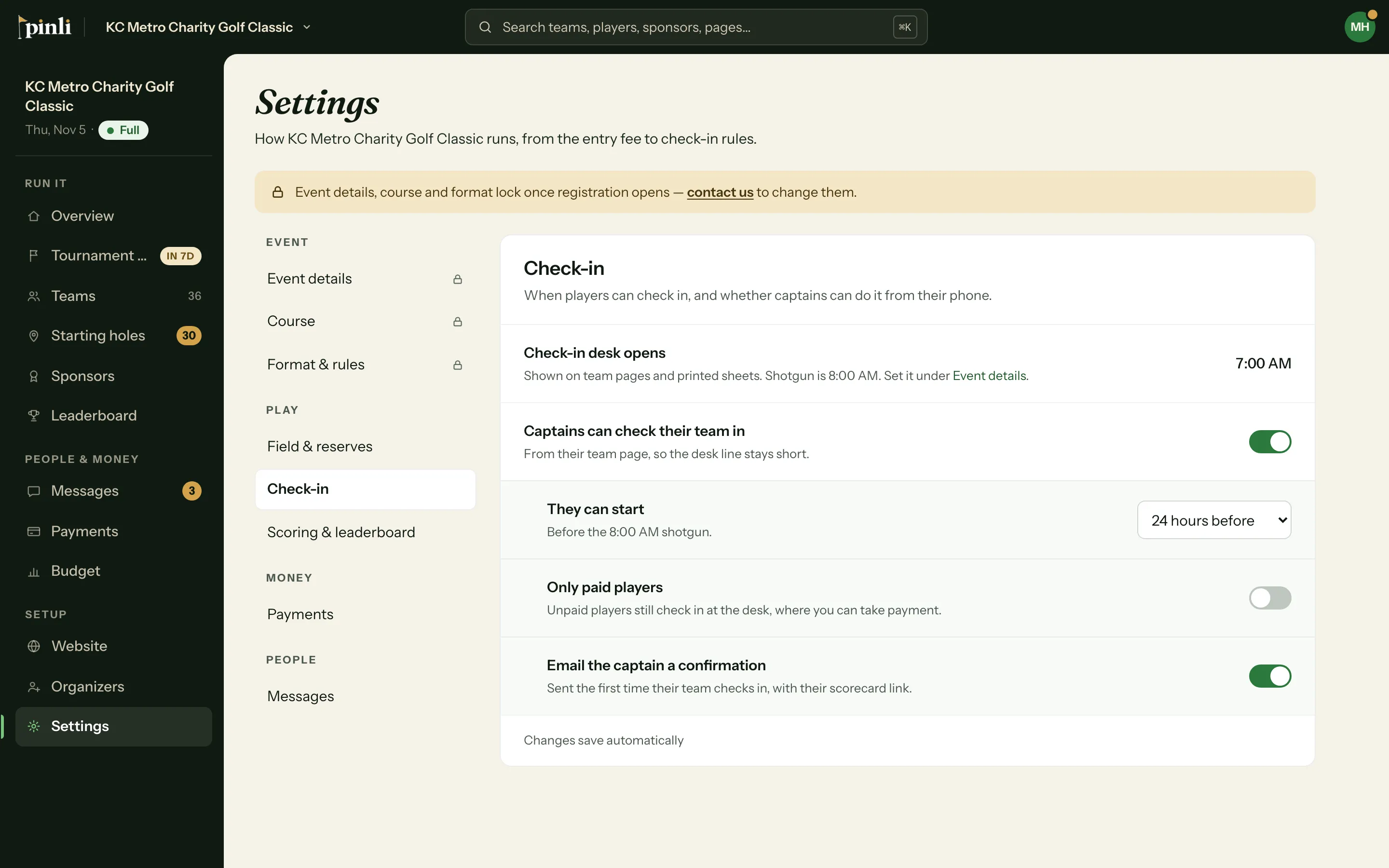
Open Settings › Check-in. Each change saves the moment you make it.
- Captains can check their team in: on by default. Teams check in from their team page instead of the desk.
- They can start: how early phone check-in opens: 12 hours before, 24 hours before, 3 days before, 1 week before the shotgun, or Any time. It closes 12 hours after the shotgun, or as soon as you lock scoring.
- Only paid players: off by default. When it’s on, unpaid players can’t check in from their phone. They check in at the desk, where you can take payment.
- Email the captain a confirmation: on by default. The first time a captain is checked in, they get an email with their scorecard link. It goes out whether they checked in themselves or you did it.
Check teams in at the desk
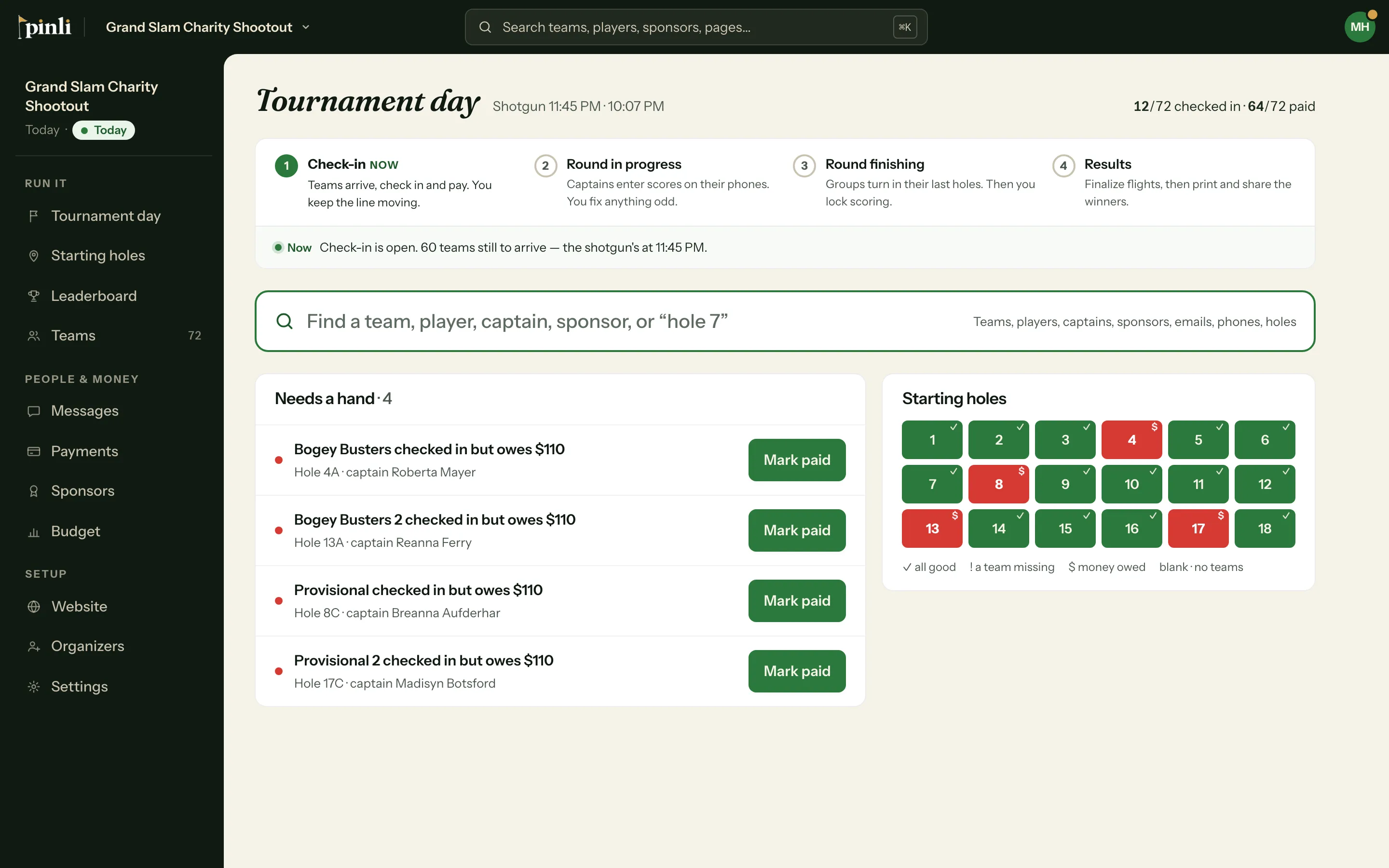
On tournament day, open Tournament day in the sidebar. Before the shotgun it’s on the Check-in step.
- Type in the search box: a team, player, captain, sponsor, email, phone, or “hole 7”.
- Click the action on the result. For a team it’s Check in team, Check in & mark paid, or Mark paid, depending on what’s left.
You can also open a team and click Check everyone in, or tick each player’s box. On the day, checking in a team that owes also marks them paid, since they’re standing at your table.
Needs a hand lists teams that checked in but still owe, with a Mark paid button. The Starting holes board beside it marks each hole: all good, a team missing, or money owed.
Check-in from their phones
When phone check-in is open, every team page shows Check our team in. Anyone on the team can tap it, tick who has arrived, and confirm. Players can’t undo a check-in. You can, from the team.
What about teams that don’t show up?
After the shotgun, any team with nobody checked in moves to Needs a hand as “never checked in”, with Mark no-show and Check in. A no-show drops out of the standings, flights and alerts. It keeps its starting hole, and anything it owes stays on Payments. If they turn up after all, search for them and click Undo no-show.
Common questions
Does a team have to check in to keep score? No. Check-in doesn’t open or close the scorecard. It does trigger the captain’s confirmation email with the scorecard link, if you leave that on.
Why can’t I turn on phone check-in? It needs a shotgun time to count back from. Set it under Settings › Event details, or choose Any time for when check-in opens.
Can I print a check-in sheet instead? The printed team roster has no check-in boxes on purpose. Checking teams in on the app is what sends captains their scorecard link. See How do I print cart sheets, rosters and results?