
How do I print cart sheets, rosters and results?
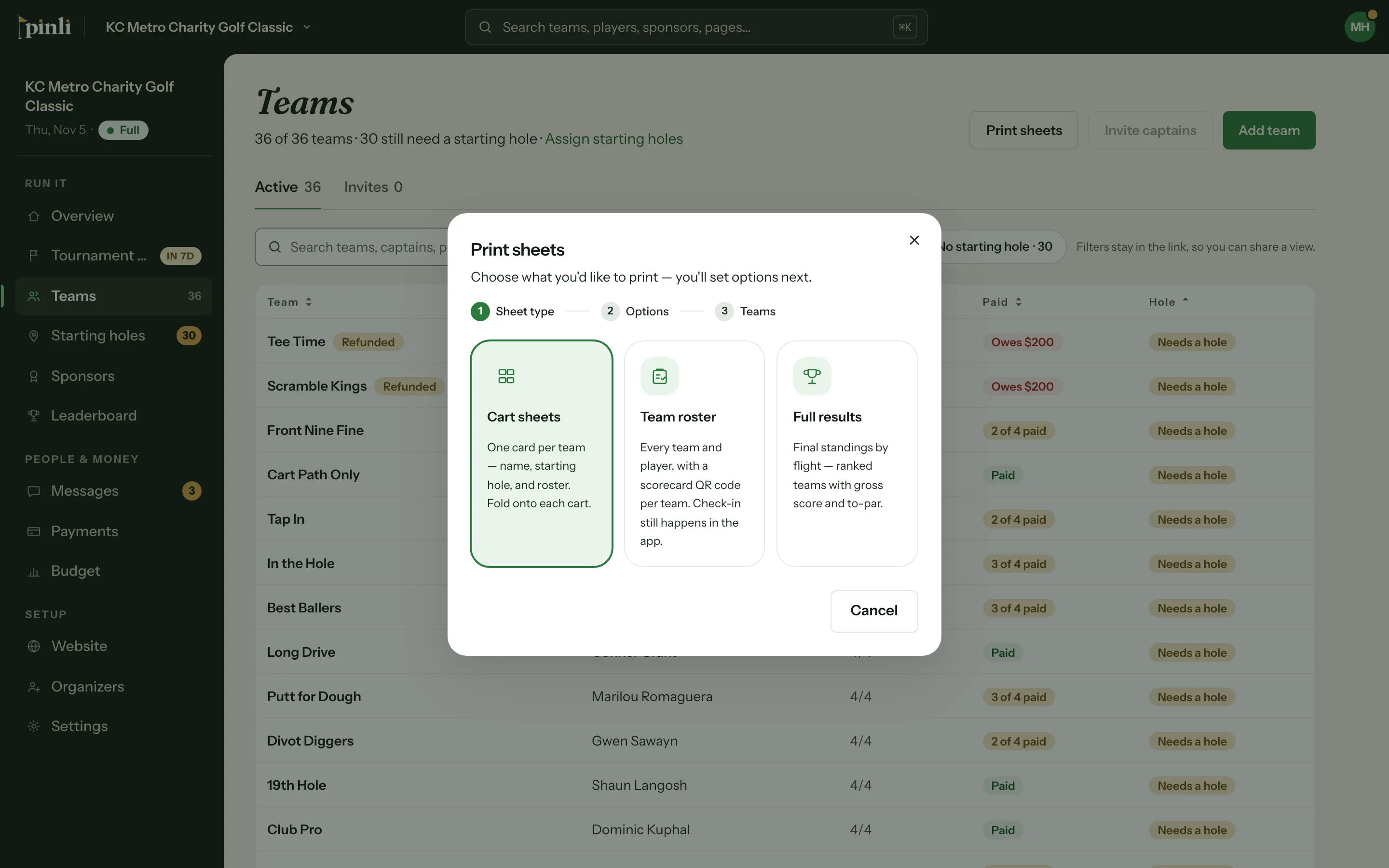
Click Print sheets on the Teams page and pick Cart sheets, Team roster or Full results. Pinli makes a PDF you can print. Cart sheets and rosters carry a QR code to each team's scorecard.
Pinli prints three kinds of sheets. Each one is a PDF that opens in a new tab, so you can print it or save it.
Before you start: printing needs an activated tournament. Assign starting holes first, so every sheet shows where each team starts.
Print a sheet
- Open Teams and click Print sheets. You can also click Print starting list on the Starting holes page.
- Pick a sheet type:
- Cart sheets: one card per team with the team name, starting hole and roster. Fold one onto each cart.
- Team roster: every team and its players, with a scorecard QR code beside each team.
- Full results: final standings by flight, with gross score and to-par.
- Set the options: orientation and text size, how many cards per page for cart sheets, and whether to sort by starting hole or team name.
- For cart sheets and rosters, choose the teams to include, or click Select all. Check Include reserve teams if you want them too.
- Click Generate PDF.
To print one team’s sheet, open the team and choose Print team sheet.
The scorecard QR code
Every cart sheet and every team on the roster has a QR code marked “Scan to score”. The captain scans it to open their team’s scorecard on their phone. Hand it to captains at check-in, or tape the cart sheet where they’ll see it.
The results sheet
When results are final, print Full results from the Leaderboard (Print results) or the Tournament day page (Print awards sheet). It starts with an awards page in the order you’ll call winners, prizes included. See How do I lock scores, finalize flights and announce winners?
Common questions
Can I print paper scorecards? No. Captains keep score on their phones. Each cart sheet and roster has a QR code that opens the team’s scorecard.
Why doesn’t the roster have check-in boxes? Check-in happens in the app. Checking a team in there is what emails the captain their scorecard link, so a paper list would skip that step. See How does check-in work on tournament day?
Why is Print sheets greyed out? It needs at least one team in the field. On a free trial, generating a sheet asks you to activate first.