
How do I put the leaderboard on a TV?
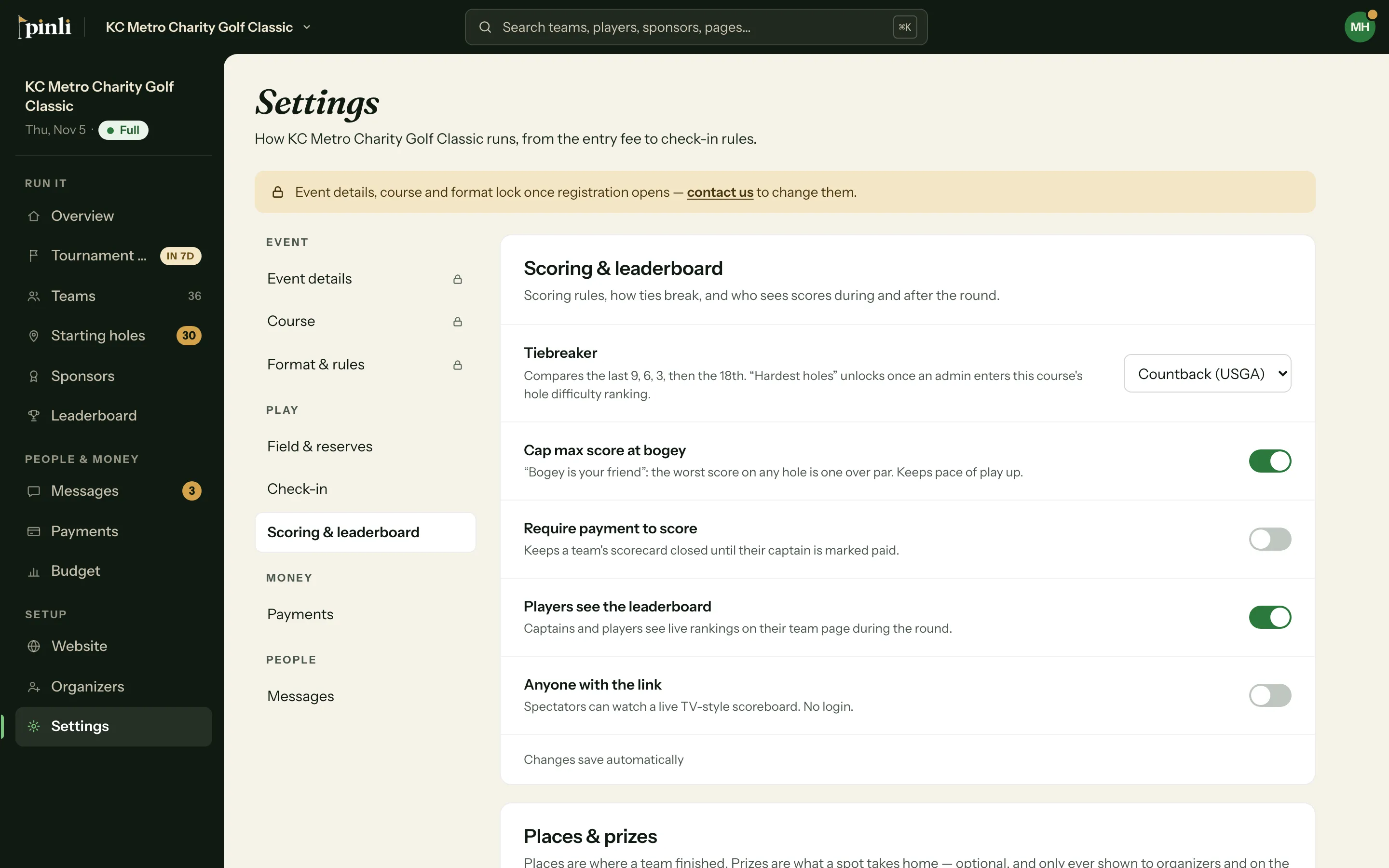
Turn on "Anyone with the link" in Settings › Scoring & leaderboard, then open the link on the TV. It shows live standings, thanks your paid sponsors, and switches to a podium when results are final.
The public leaderboard is a web page built for a big screen in the clubhouse. It needs no login and updates itself during the round.
Turn it on
- Open Settings › Scoring & leaderboard.
- Turn on Anyone with the link. It’s off until you do.
- The link appears below the switch. Click Copy, or Open to see it.
You can also turn it on from the Leaderboard page: click Who can see it and check Anyone with the link. Then use TV view to open it, or Copy public link to share it.
Put it on the TV
Open the link in a browser on the TV, or on a laptop plugged into it, and make the browser full screen. Nothing else needs to be done. The page refreshes the standings every 30 seconds.
What does the TV leaderboard show?
- During the round: live standings with each team’s rank, score and holes played. A long list scrolls by itself.
- Your sponsors: a “Thank you to our sponsors” strip runs along the bottom, with logos, or names when there’s no logo. Every 2 minutes, for 15 seconds, the whole screen becomes a sponsor wall grouped by sponsor level, highest level first and largest.
- When results are final: a podium for the top 3, or the top 3 in each flight if you have flights.
Prizes never show on the TV or the public link. Only places do.
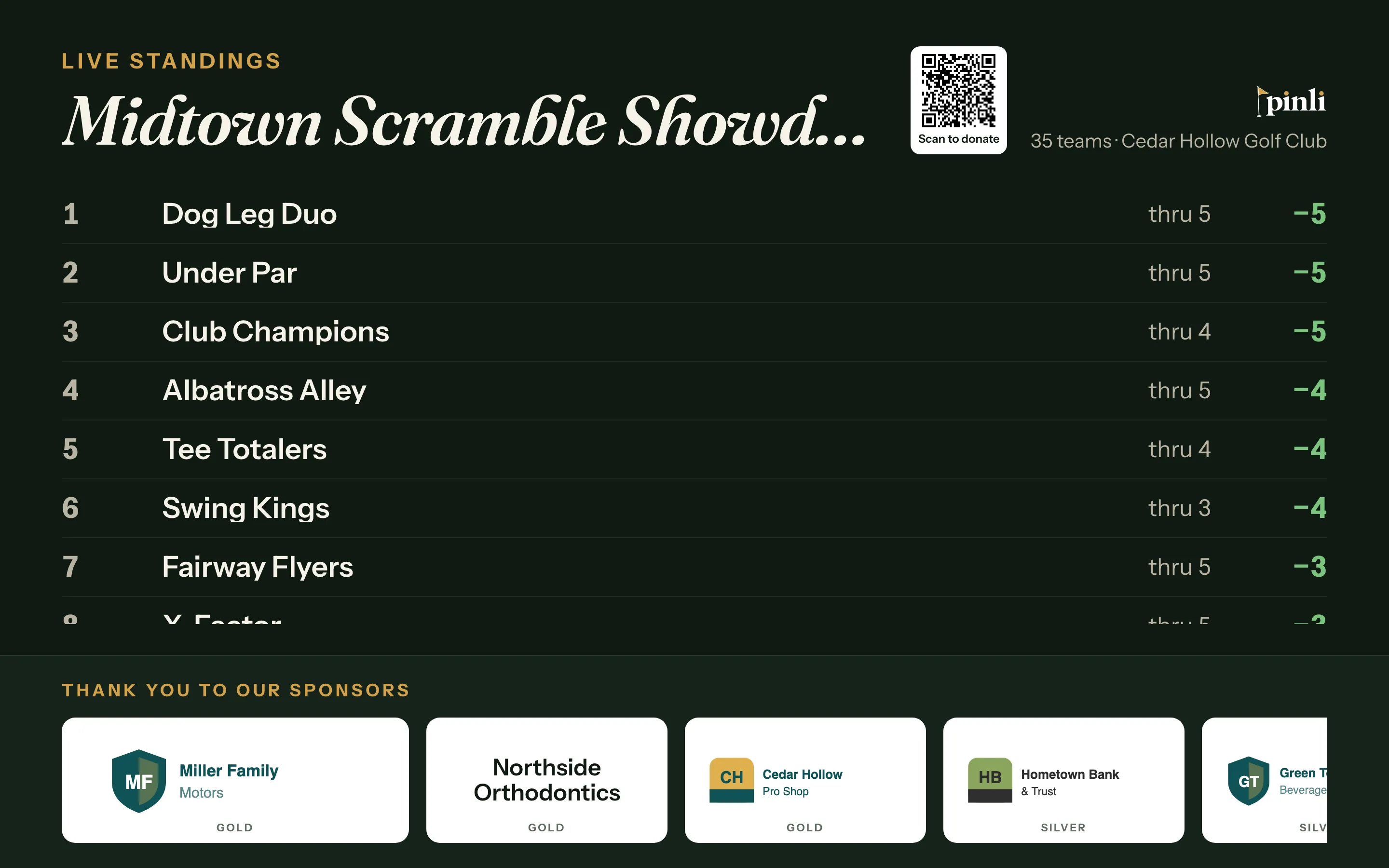
On a phone, the same link shows a compact version people can follow from the course.
Common questions
Why isn’t a sponsor on the TV? Only paid sponsors appear. Once a sponsor pays online or you mark them paid, they show up on the next refresh.
The TV says “Scoring hasn’t started yet.” That’s normal before the first score comes in. Standings appear as soon as captains start scoring.
Can I hide it again? Yes. Turn off Anyone with the link and the page shows “Scoreboard not available” to anyone who opens it.
Can players see the leaderboard on their phones? Yes, if Players see the leaderboard is on in the same settings. Captains and players then see live rankings on their team page during the round, without the public link.