
How does the contact form inbox work?
Questions from your website's contact form are emailed to the organizers you pick and saved in Messages under Inbox. Reply from your own email, then click Mark handled.
On this page
Your tournament website can have a contact form, so a would-be sponsor or a captain can ask you a question without hunting for your email. Every message lands in your Inbox and in the email of whoever you’ve picked.
Turn the contact form on
Go to Messages and open the Inbox tab. Use the Contact form on your website switch at the top. The same switch is in the website builder with your other sign-ups. If you don’t have a website yet, you’ll see a link to set one up.
Already have your own website? Add the contact form from the Embed on your site tab on the Website page.
Choose who gets the emails
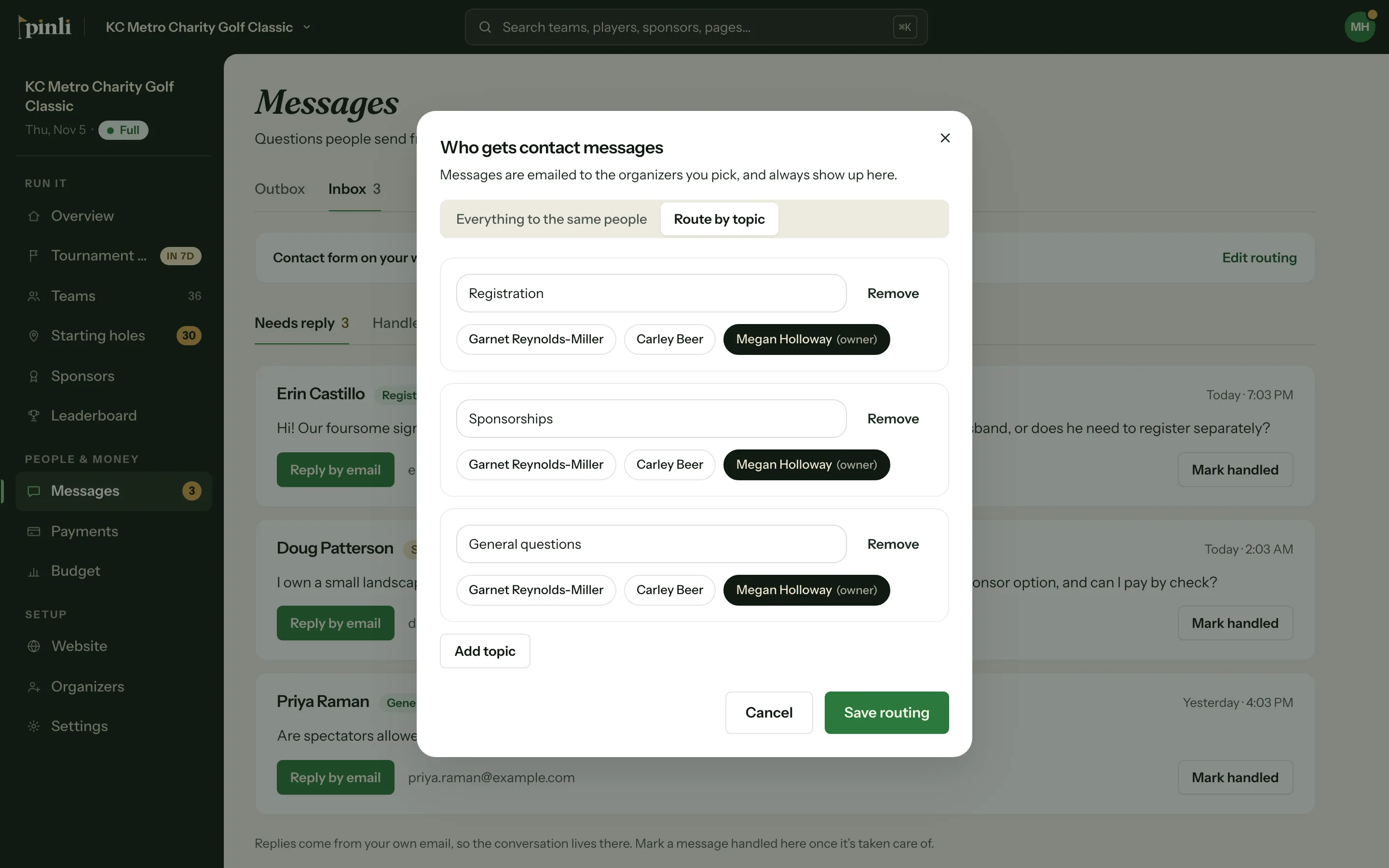
Out of the box, every message goes to the tournament’s owner. To change that, click Edit routing.
- Everything to the same people: pick the organizers who should get every message.
- Route by topic: visitors pick a topic, and each topic goes to its own people. Click Start with suggested topics for Sponsorship, Registration / teams, Volunteering, Donations and General question, or add your own with Add topic.
Click Save routing. Only organizers on your tournament can receive messages. If a topic has nobody picked, its messages go to the owner.
Answer and mark it handled
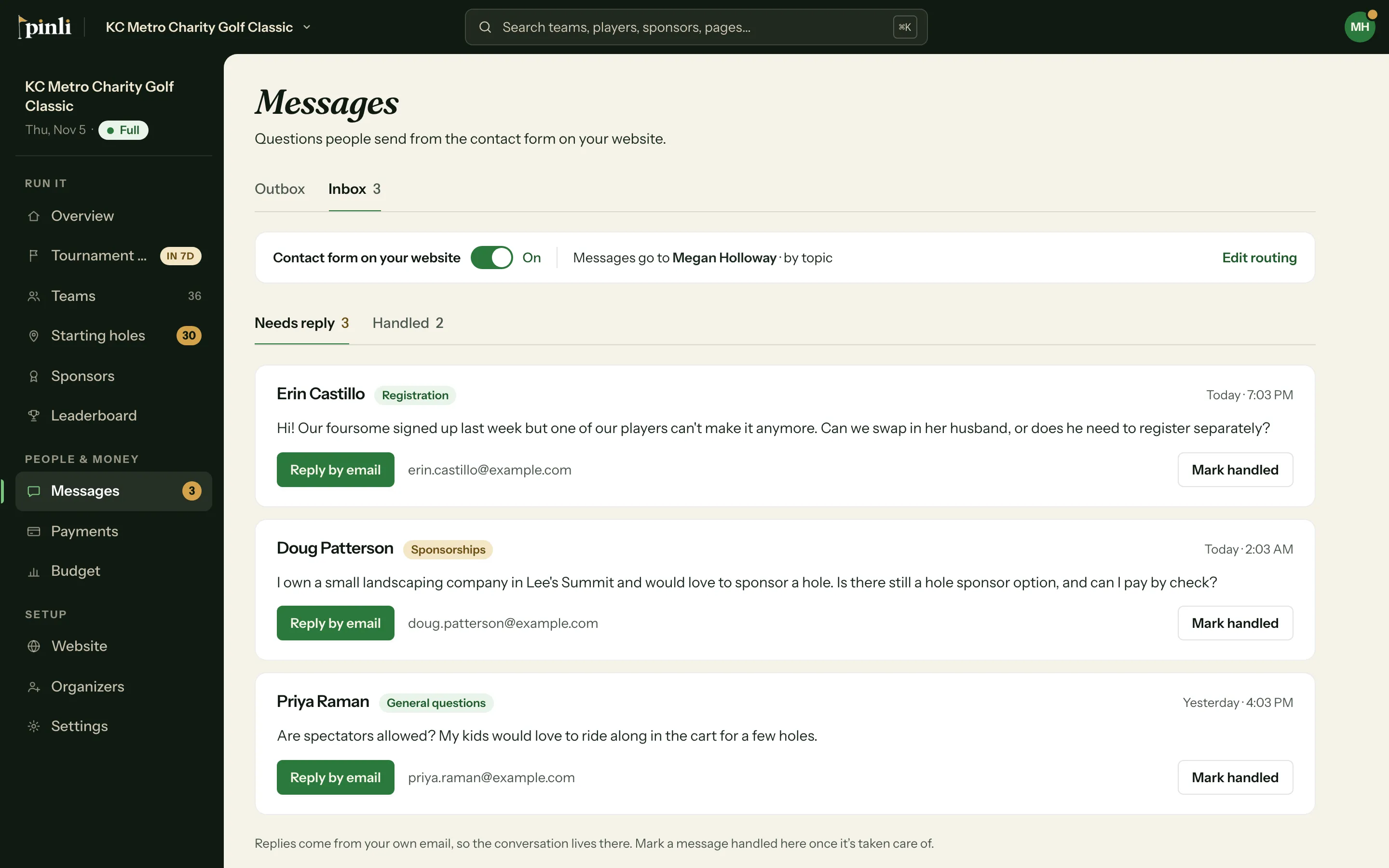
New messages sit under Needs reply. Each shows who sent it, their email and phone, the topic and the message.
- Click Reply by email. It opens your own email app, so the conversation lives there.
- When it’s taken care of, click Mark handled.
The message moves to Handled, with who handled it and when, so other organizers know it’s done. Changed your mind? Click Move back to needs reply.
Common questions
If I reply to the notification email, who sees it? The person who asked, plus the other organizers who got the message. A plain reply goes to all of them, so nobody answers twice without knowing.
Does the person who asked get a confirmation email? No. They see a confirmation on screen after they send it.
Can organizers who don’t get the emails still see messages? Yes. Every message is saved in the Inbox, no matter who it’s emailed to, so anyone managing the tournament can check there.