
Should I send an email or an announcement?
Send an email when people need to read it in their inbox. Post an announcement for updates that should sit on every team page. One message can do both.
On this page
Every message you write in Pinli can go out two ways: as an email, and as a post on team pages. Pick one or both in the same message.
When should I send an email?
Use email for anything people need to act on: payment reminders, check-in times, starting holes, thank-yous.
- Choose who gets it: Captains, Teammates, Sponsors and Organizers, in any mix.
- Narrow it with Only: Paid, Unpaid, or Teams with open spots. Or click Pick specific teams.
- Each person gets their own version. Fields like their name, their team, their starting hole and what they owe fill in for each person.
Reserve teams are left out of broad sends unless you include them.
When should I post on team pages?
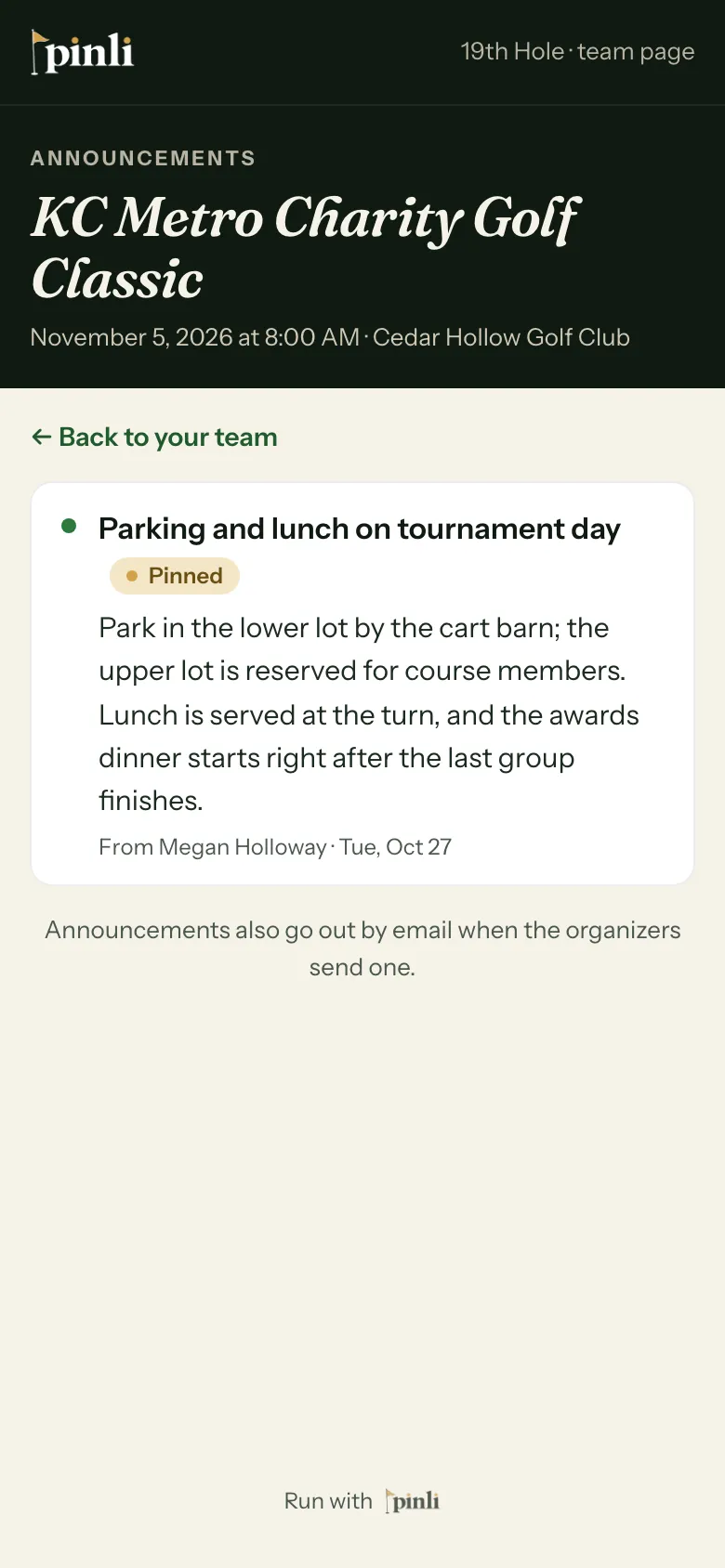
Tick Post on team pages & scoreboard for updates people check on their own: a schedule change, the weather, where to park. The post shows on every team’s page, and on the captain’s scorecard on tournament day.
- Pin to top keeps it above newer posts.
- Take down removes it automatically: After 24 hours, 8 PM today, or a time you pick.
Use See it on a team page to check how it looks.
Write and send it
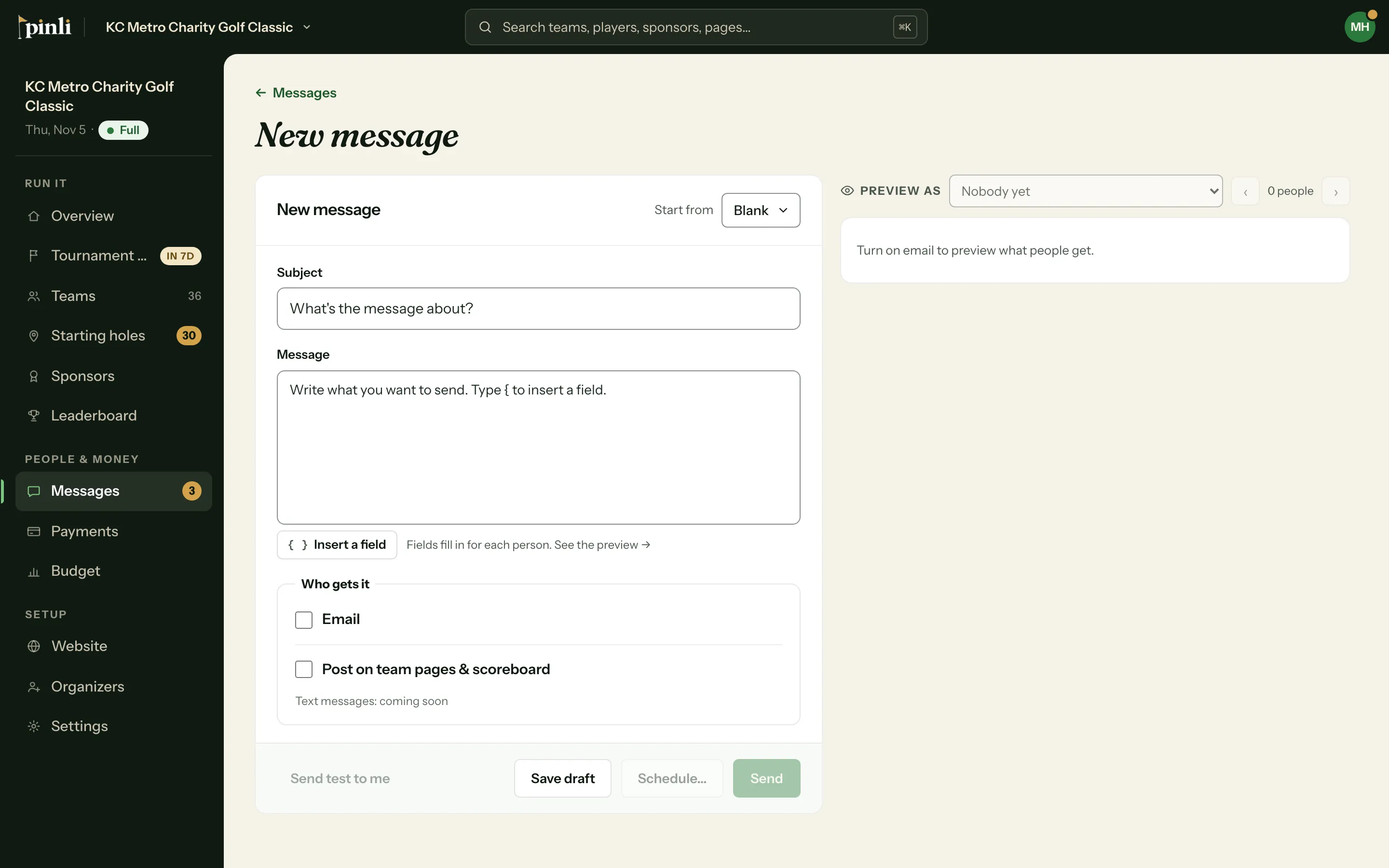
- Go to Messages and click + New message.
- Pick a template from Start from, or write your own. Type
{to insert a field. - Under Who gets it, choose email, the team-page post, or both.
- Check the preview on the right. It shows the real email for one person at a time.
- Click Send. The button shows how many people it’s going to.
Common questions
Who do replies go to? To the reply-to address in Settings → Messages. If that’s blank, they go to whoever sent the message. The sender shows as your tournament’s name, or the sender name you set there, followed by “via Pinli”.
Why did someone not get my email? People can unsubscribe from your tournament’s emails, and they’re skipped after that. The preview lists anyone who’ll be left out.
Can I text my field? Not yet. Text messages are coming soon.