
How do I activate my tournament?
Click Activate on your tournament's Overview and pay a one-time fee equal to one team's entry fee, $299 minimum. Your full field, online payments, messages and tournament day unlock right away.
Activating turns your trial into the real thing. You pay once per tournament, and every feature is included.
Before you start: your event details need to be filled in: name, date, start time, check-in time, entry fee per team, format, team size, teams per hole and course. If anything is missing, Pinli shows Finish setup first with a list. Click Open settings to fill it in.
Activate
- Open your tournament’s Overview and click Activate in the “Activate your tournament” step. On other pages, the trial line at the top has an Activate → link too.
- Check the one-time fee shown.
- Have a promo code? Click Enter one, type it in, and click Apply.
- Click Continue to payment, enter your card, and click Pay. If your code covers the whole fee, click Activate for free instead.
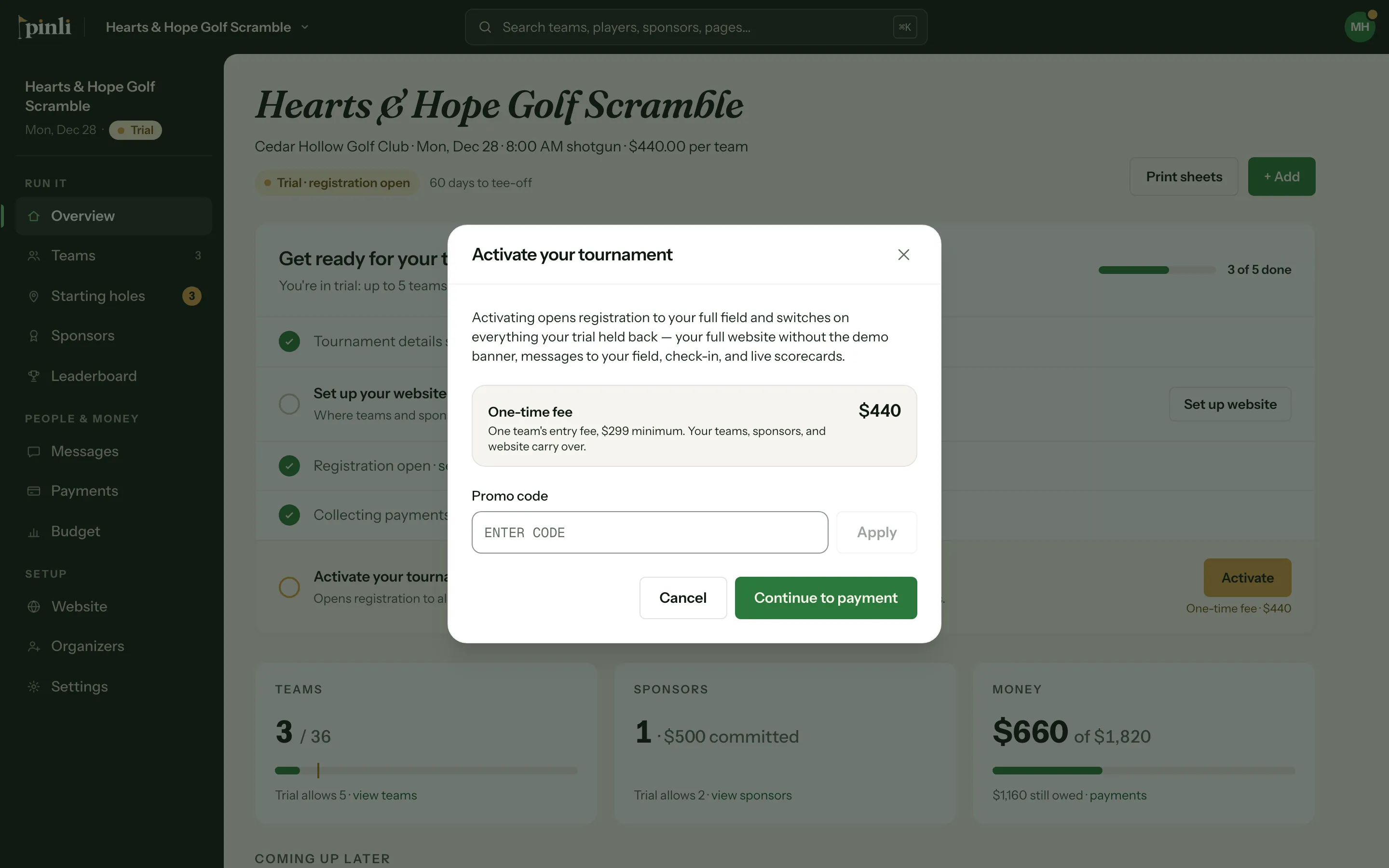
How does the fee work?
The fee is one team’s entry fee, with a $299 minimum. If your entry fee is $440 per team, you pay $440. If it’s $200, you pay $299. There are no per-player fees, and nothing more to pay later.
This is separate from your teams’ payments. Entry fees and sponsorships go straight to your own Stripe account. Stripe’s card fee (about 2.9% + 30¢ per payment) goes to Stripe, not Pinli.
What happens when you activate
- Registration opens to your full field. If it wasn’t open yet, it opens now.
- Teams and sponsors who signed up during the trial stay, along with everything else you’ve set up.
- A published demo website stays at the same address, without the demo banner.
- Teams and sponsors can pay online, once Stripe is connected.
- Messages, check-in, live scorecards, start sheets and printable rosters unlock.
Common questions
Do I need Stripe connected to activate? No. You pay the activation fee by card in the activation window. Stripe is only needed to collect payments from your teams and sponsors. See How do I connect Stripe?
Who can activate the tournament? Any organizer on the tournament.
Is the activation fee refundable? No, except where the law requires a refund. See the Terms of Service.
My promo code says “Invalid or expired promo code.” Check the spelling. Codes can expire or run out of uses. If it still doesn’t work, contact whoever gave you the code.