
How do I add a team myself?
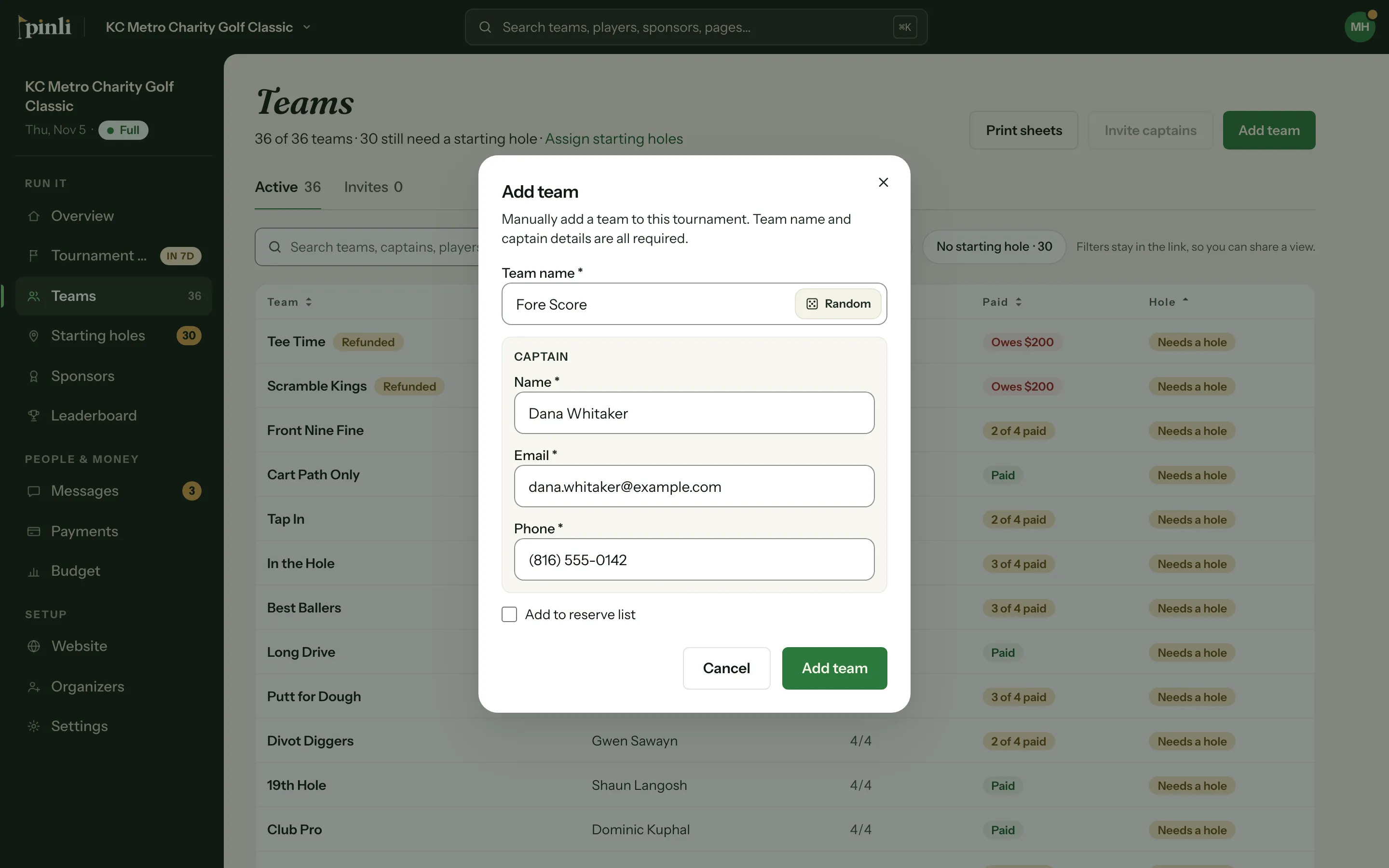
On the Teams page, click Add team, enter a team name and the captain's name, email and phone, then click Add team. No emails go out, so share the captain link yourself.
Some teams sign up by phone, by email or at last year’s awards dinner. You can add them yourself, any time, even before registration opens.
Add the team
- Open your tournament and go to Teams.
- Click Add team.
- Enter the Team name and the captain’s Name, Email and Phone. All four are required.
- If the field is full, or the team should wait for a spot, tick Add to reserve list.
- Click Add team. Use Open team in the confirmation to jump straight to it.
Send the captain their link
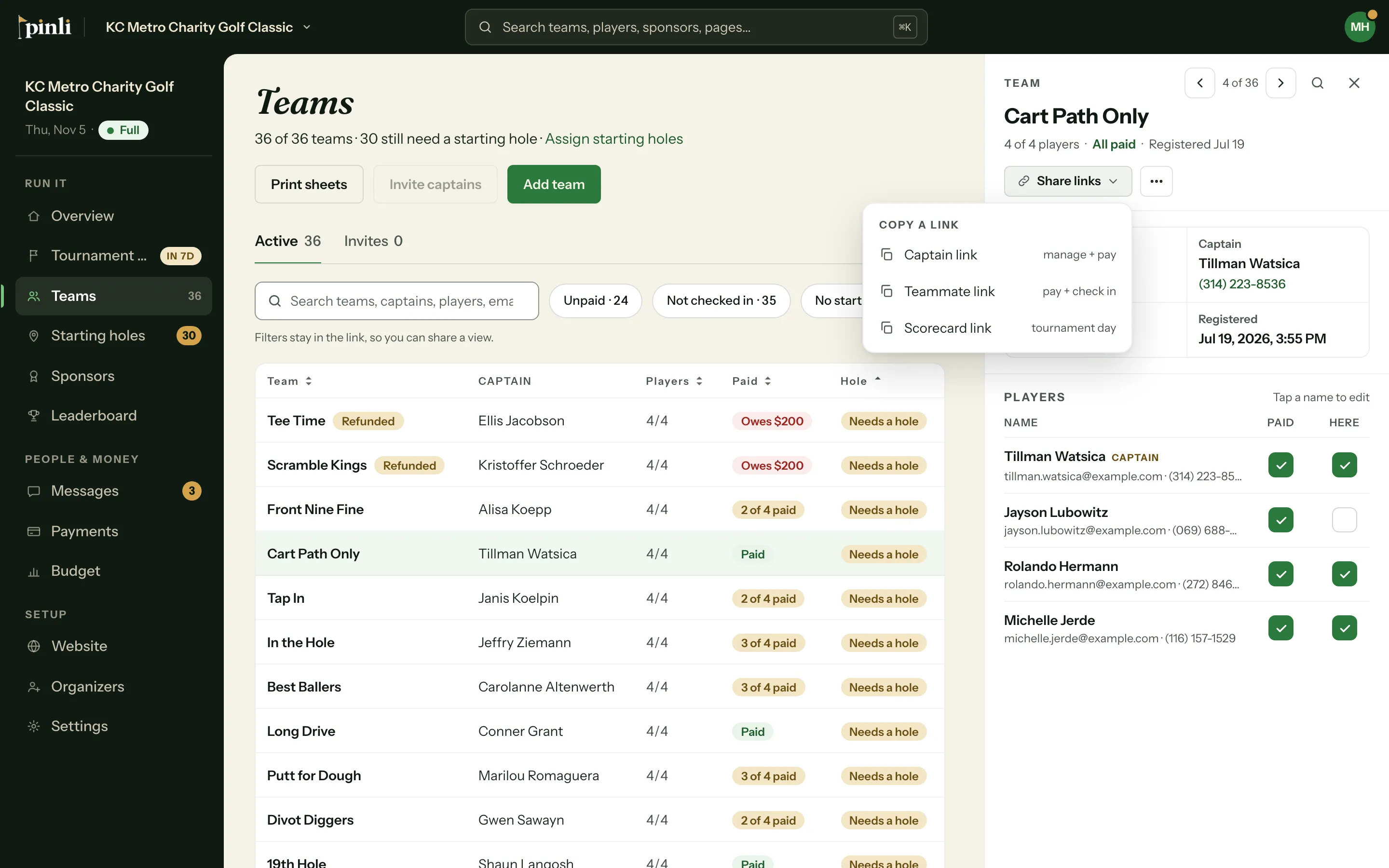
Adding a team yourself doesn’t send any emails. To get the captain onto their team page:
- Click the team in the list to open it.
- Click the link icon (Share links) and choose Captain link.
- Paste it into a text or email to the captain.
The same menu has the Teammate link for everyone else on the team.
Add teammates
In the team’s Players section, click Add teammate next to an open spot. A name is required. Email and phone are optional. If you add an email, that person gets an email with the teammate link.
To fix someone’s details, click their name. Changing an email sends a fresh link to the new address.
Common questions
Why can’t I add a team? The field may be full. Tick Add to reserve list instead. On the free trial, teams you add count toward the 5-team limit.
Can I mark the team paid? Yes. If they paid by cash or check, use the Paid switches in the team’s Players section, or Mark all paid.
Can the captain change the roster after I add the team? Yes. With the captain link they can add teammates and rename the team, the same as if they’d registered themselves.