
How do I build a tournament budget?
Go to Budget and click Set up my model. Answer a few questions and Pinli builds a projected budget, then fills in actual entry fees and sponsorships as they're paid online.
On this page
The Budget page shows what your tournament will net for your cause, before the first team signs up. It’s free to use during the trial.
Set up your model
- Open your tournament and go to Budget.
- Click Set up my model. Pinli asks:
- How many teams do you expect?, what You charge per team, and what the Course charges you per team or player.
- How many of each sponsorship will you sell? (if you have sponsor levels).
- How will they pay? Roughly how much comes by card versus cash or check, and who covers card fees.
- Any of these revenue streams? Mulligans, raffle, silent auction, merchandise or donations.
- What’s your fundraising goal for the cause? (optional).
- Click Build my model.
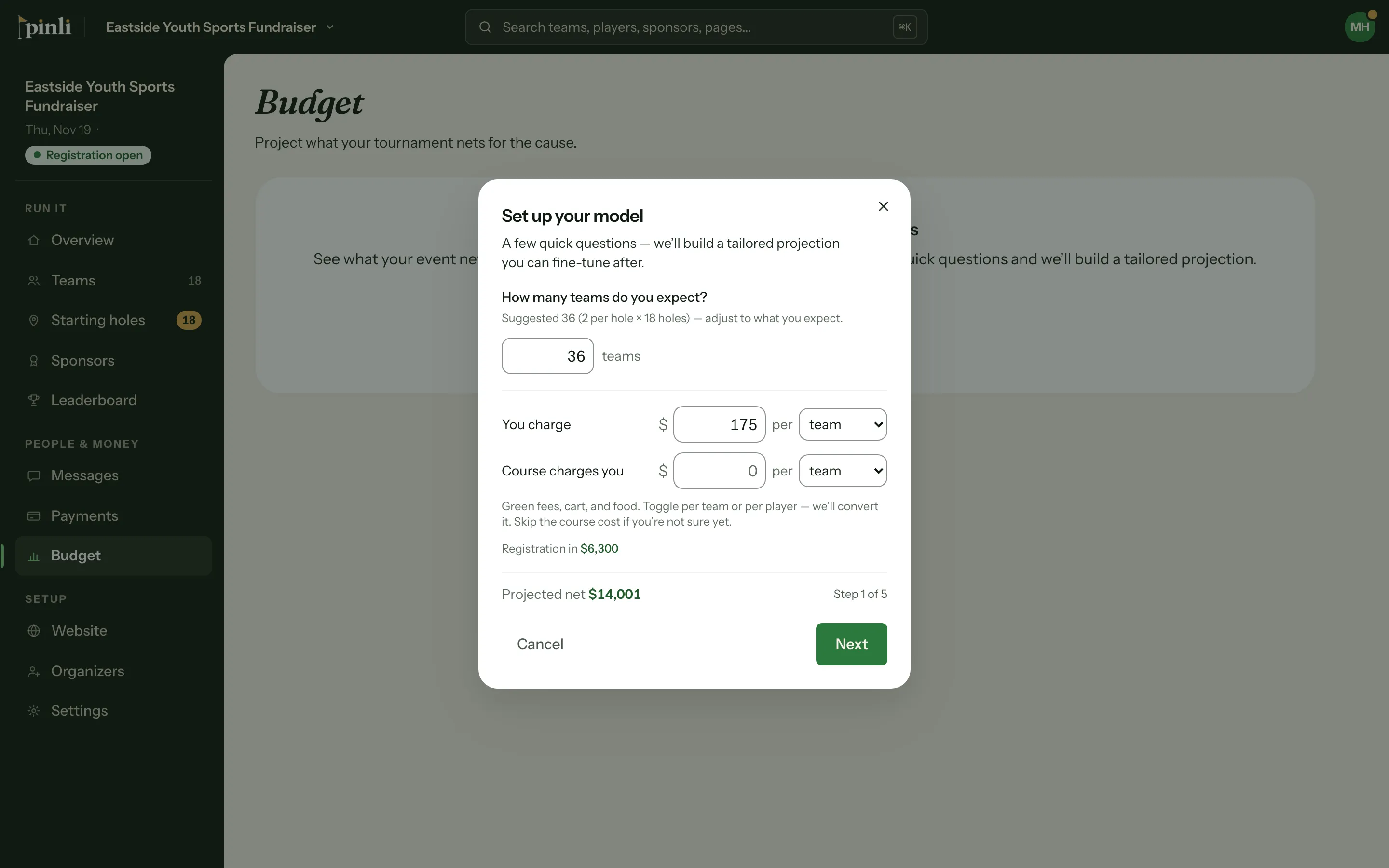
Pinli builds your revenue and expense lines, including the Pinli fee and an estimate of card fees. If you’d rather start empty, click I’ll build it myself.
If last year’s tournament in this series had a budget, you’ll also see Start from last year. It copies last year’s plan and goal, with this year’s actuals empty.
Edit lines
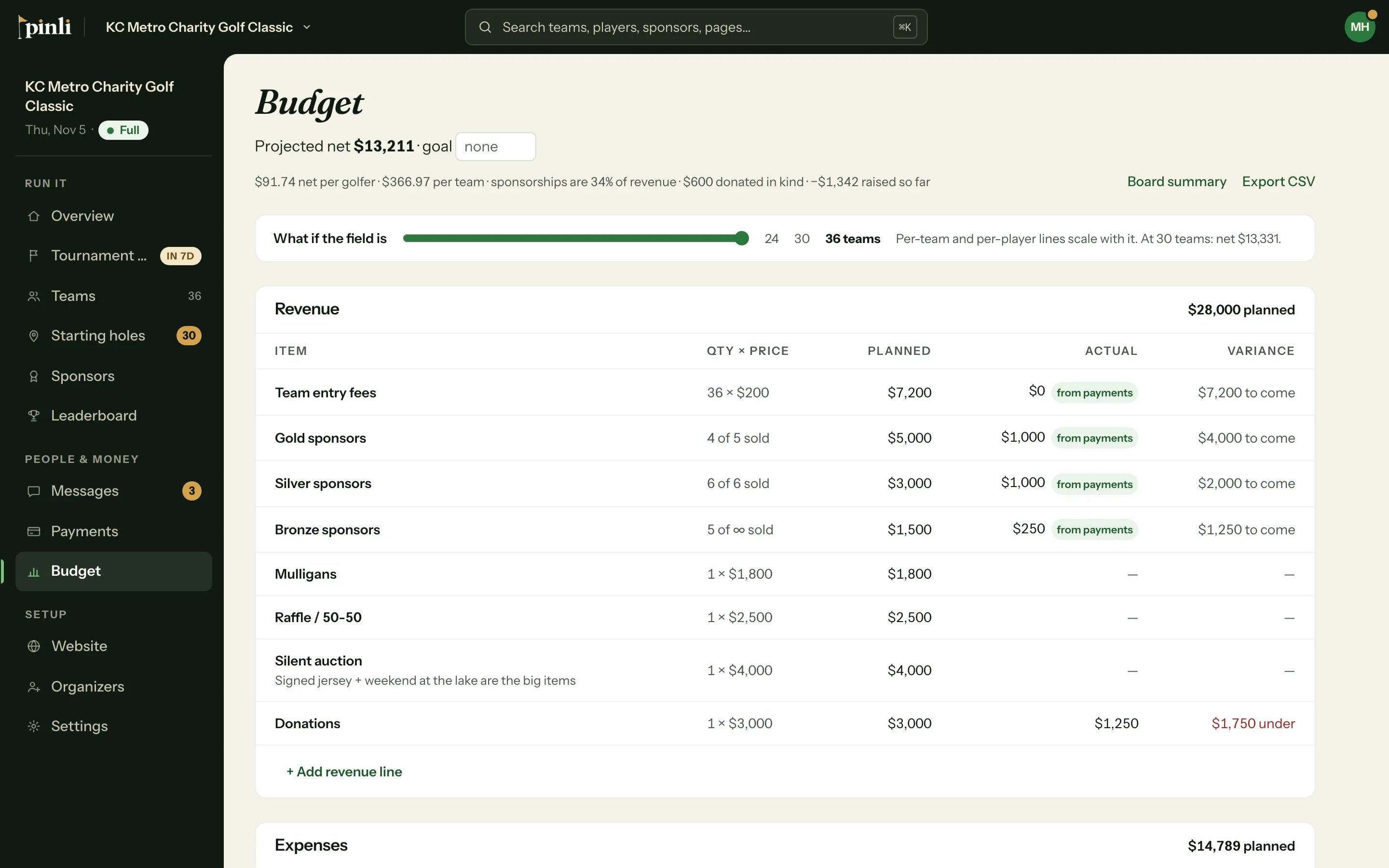
Click any line to change its quantity, price or actual. Changes save as you go. Use + Add revenue line or + Add expense line to pick from common items, like hole-in-one insurance or player gift bags, or type your own.
Lines can be per team, per player or a flat amount. Per-team and per-player lines grow with the size of your field.
What’s the difference between projected and actual?
Each line has Planned, Actual and Variance. Lines marked from payments fill in on their own:
- Team entry fees and sponsorships, from payments made online by card.
- The Pinli fee, once you’ve activated.
- Card processing fees, estimated at 2.9% + 30¢ per card payment.
Enter everything else by hand as invoices come in.
How do I count donated items?
For something donated, like a raffle prize or the beverage cart, open the line and click Mark donated. It shows as Donated and counts toward the value of your event, but not toward your cash net.
Track your goal
The top of the page shows your Projected net, your goal and how much is left to go. It also tells you about how many more teams you need to reach your goal, or to break even if you haven’t set one.
Share it
Click Export CSV for a spreadsheet, or Board summary for a one-page view. Click Print / Save PDF there to print it or save a PDF for your board.
Common questions
Why doesn’t my actual include cash and check payments? Actuals fill in from card payments only. Enter cash and checks on a line you track by hand, or add a line for them.
Does changing the entry fee in the setup change what teams pay? No. The setup only models a price. Your real entry fee is in your tournament settings.
How do I start over? Click Reset model at the bottom of the page. It clears every line and your goal.